

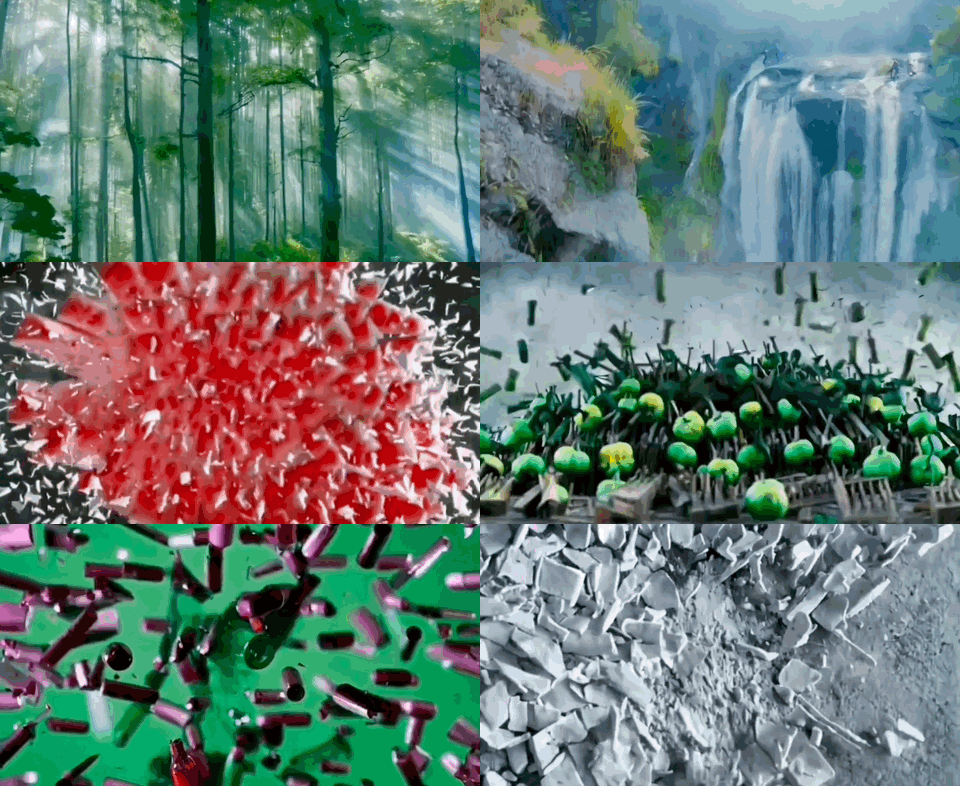
The AI WebTV is an experimental demo to showcase the latest advancements in automatic video and music synthesis.
👉 Watch the stream now by going to the AI WebTV Space.
If you are using a mobile device, you can view the stream from the Twitch mirror.
Concept
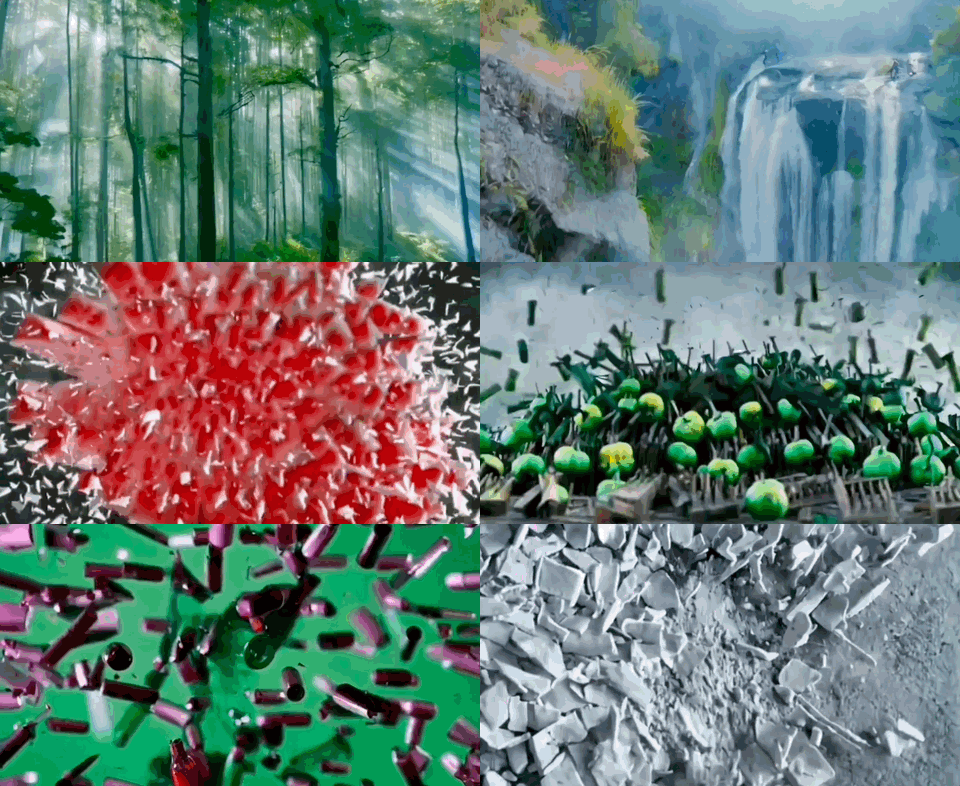
The motivation for the AI WebTV is to demo videos generated with open-source text-to-video models such as Zeroscope and MusicGen, in an entertaining and accessible way.
You can find those open-source models on the Hugging Face hub:
The individual video sequences are purposely made to be short, meaning the WebTV should be seen as a tech demo/showreel rather than an actual show (with an art direction or programming).
Architecture
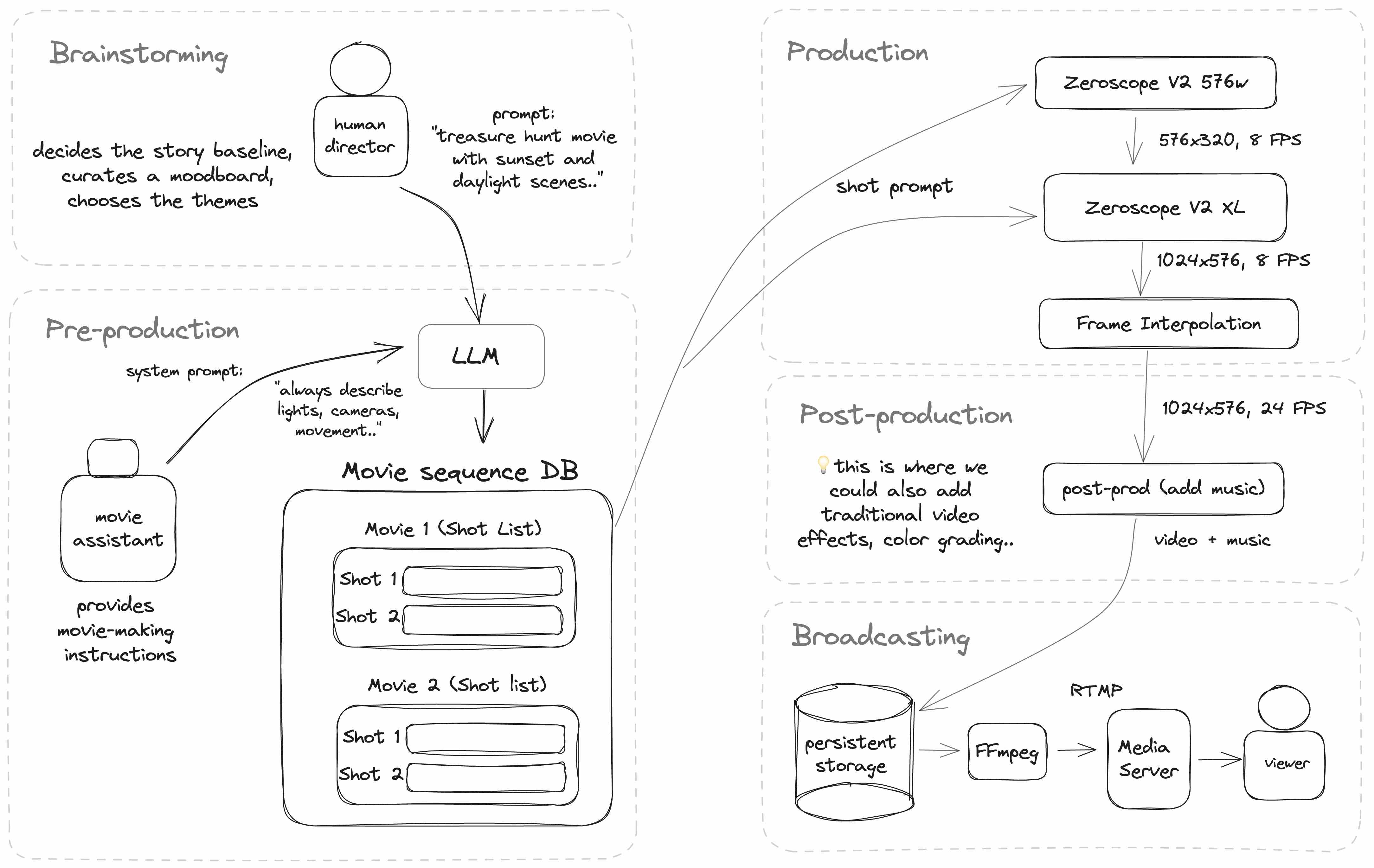
The AI WebTV works by taking a sequence of video shot prompts and passing them to a text-to-video model to generate a sequence of takes.
Additionally, a base theme and idea (written by a human) are passed through a LLM (in this case, ChatGPT), in order to generate a variety of individual prompts for each video clip.
Here’s a diagram of the current architecture of the AI WebTV:
Implementing the pipeline
The WebTV is implemented in NodeJS and TypeScript, and uses various services hosted on Hugging Face.
The text-to-video model
The central video model is Zeroscope V2, a model based on ModelScope.
Zeroscope is comprised of two parts that can be chained together:
👉 You will need to use the same prompt for both the generation and upscaling.
Calling the video chain
To make a quick prototype, the WebTV runs Zeroscope from two duplicated Hugging Face Spaces running Gradio, which are called using the @gradio/client NPM package. You can find the original spaces here:
Other spaces deployed by the community can also be found if you search for Zeroscope on the Hub.
👉 Public Spaces may become overcrowded and paused at any time. If you intend to deploy your own system, please duplicate those Spaces and run them under your own account.
Using a model hosted on a Space
Spaces using Gradio have the ability to expose a REST API, which can then be called from Node using the @gradio/client module.
Here is an example:
import { client } from "@gradio/client"

export const generateVideo = async (prompt: string) => {
  const api = await client("*** URL OF THE SPACE ***")


  const { data } = await api.predict("/run", [
    prompt,
    42,
    24,
    35
  ])

  const { orig_name } = data[0][0]

  const remoteUrl = `${instance}/file=${orig_name}`


}
Post-processing
Once an individual take (a video clip) is upscaled, it is then passed to FILM (Frame Interpolation for Large Motion), a frame interpolation algorithm:
During post-processing, we also add music generated with MusicGen:
Broadcasting the stream
Note: there are multiple tools you can use to create a video stream. The AI WebTV currently uses FFmpeg to read a playlist made of mp4 videos files and m4a audio files.
Here is an example of creating such a playlist:
import { promises as fs } from "fs"
import path from "path"

const allFiles = await fs.readdir("** PATH TO VIDEO FOLDER **")
const allVideos = allFiles
  .map(file => path.join(dir, file))
  .filter(filePath => filePath.endsWith('.mp4'))

let playlist = 'ffconcat version 1.0\n'
allFilePaths.forEach(filePath => {
  playlist += `file '${filePath}'\n`
})
await fs.promises.writeFile("playlist.txt", playlist)
This will generate the following playlist content:
ffconcat version 1.0
file 'video1.mp4'
file 'video2.mp4'
...
FFmpeg is then used again to read this playlist and send a FLV stream to a RTMP server. FLV is an old format but still popular in the world of real-time streaming due to its low latency.
ffmpeg -y -nostdin \
  -re \
  -f concat \
  -safe 0 -i channel_random.txt -stream_loop -1 \
  -loglevel error \
  -c:v libx264 -preset veryfast -tune zerolatency \
  -shortest \
  -f flv rtmp://
There are many different configuration options for FFmpeg, for more information in the official documentation.
For the RTMP server, you can find open-source implementations on GitHub, such as the NGINX-RTMP module.
The AI WebTV itself uses node-media-server.
💡 You can also directly stream to one of the Twitch RTMP entrypoints. Check out the Twitch documentation for more details.
Observations and examples
Here are some examples of the generated content.
The first thing we notice is that applying the second pass of Zeroscope XL significantly improves the quality of the image. The impact of frame interpolation is also clearly visible.
Characters and scene composition
Simulation of dynamic scenes
Something truly fascinating about text-to-video models is their ability to emulate real-life phenomena they have been trained on.
We’ve seen it with large language models and their ability to synthesize convincing content that mimics human responses, but this takes things to a whole new dimension when applied to video.
A video model predicts the next frames of a scene, which might include objects in motion such as fluids, people, animals, or vehicles. Today, this emulation isn’t perfect, but it will be interesting to evaluate future models (trained on larger or specialized datasets, such as animal locomotion) for their accuracy when reproducing physical phenomena, and also their ability to simulate the behavior of agents.
💡 It will be interesting to see these capabilities explored more in the future, for instance by training video models on larger video datasets covering more phenomena.
Styling and effects
3D rendered video of a friendly broccoli character wearing a hat, walking in a candy-filled city street with gingerbread houses, under a bright sun and blue skies, Pixar’s style, cinematic, photorealistic, movie, ambient lighting, natural lighting, CGI, wide-angle view, daytime, ultra realistic.
Failure cases
Wrong direction: the model sometimes has trouble with movement and direction. For instance, here the clip seems to be played in reverse. Also the modifier keyword green was not taken into account.
Rendering errors on realistic scenes: sometimes we can see artifacts such as moving vertical lines or waves. It is unclear what causes this, but it may be due to the combination of keywords used.
Text or objects inserted into the image: the model sometimes injects words from the prompt into the scene, such as “IMAX”. Mentioning “Canon EOS” or “Drone footage” in the prompt can also make those objects appear in the video.
In the following example, we notice the word “llama” inserts a llama but also two occurrences of the word llama in flames.
Recommendations
Here are some early recommendations that can be made from the previous observations:
Using video-specific prompt keywords
You may already know that if you don’t prompt a specific aspect of the image with Stable Diffusion, things like the color of clothes or the time of the day might become random, or be assigned a generic value such as a neutral mid-day light.
The same is true for video models: you will want to be specific about things. Examples include camera and character movement, their orientation, speed and direction. You can leave it unspecified for creative purposes (idea generation), but this might not always give you the results you want (e.g., entities animated in reverse).
Maintaining consistency between scenes
If you plan to create sequences of multiple videos, you will want to make sure you add as many details as possible in each prompt, otherwise you may lose important details from one sequence to another, such as the color.
💡 This will also improve the quality of the image since the prompt is used for the upscaling part with Zeroscope XL.
Leverage frame interpolation
Frame interpolation is a powerful tool which can repair small rendering errors and turn many defects into features, especially in scenes with a lot of animation, or where a cartoon effect is acceptable. The FILM algorithm will smoothen out elements of a frame with previous and following events in the video clip.
This works great to displace the background when the camera is panning or rotating, and will also give you creative freedom, such as control over the number of frames after the generation, to make slow-motion effects.
Future work
We hope you enjoyed watching the AI WebTV stream and that it will inspire you to build more in this space.
As this was a first trial, a lot of things were not the focus of the tech demo: generating longer and more varied sequences, adding audio (sound effects, dialogue), generating and orchestrating complex scenarios, or letting a language model agent have more control over the pipeline.
Some of these ideas may make their way into future updates to the AI WebTV, but we also can’t wait to see what the community of researchers, engineers and builders will come up with!
