Close Menu
techwavedispatch.com

    Subscribe to Updates

    Get the latest creative news from FooBar about art, design and business.

    What's Hot

    The Most Important Gemini Security Settings You Should Probably Be Using

    November 28, 2026

    iOS 27 Could Be Messing Up Your CarPlay Experience With Google Maps And Waze

    November 28, 2026

    Sakana AI’s CEO says its homegrown models are about more than Japan’s national security

    November 28, 2026
    Facebook X (Twitter) Instagram
    Trending
    • The Most Important Gemini Security Settings You Should Probably Be Using
    • iOS 27 Could Be Messing Up Your CarPlay Experience With Google Maps And Waze
    • Sakana AI’s CEO says its homegrown models are about more than Japan’s national security
    • Amazon Alexa Photo Frame review: an Echo smart display without ads
    • 17 Best Buy Black Friday Deals on Hot Tech (2026): Up to 65% Off
    • Poetry for Engineers: Prompt Engineering for Odysseus
    • UK Parliament demands unredacted METR safety report after Anthropic redacts most of the evidence
    • Google Has Finally Fixed The Boot Loop Issue For Acer Googlebooks
    Facebook X (Twitter) Instagram
    techwavedispatch.com
    Subscribe
    Saturday, November 28
    • Home
    • AI Tools & Software
    • Machine Learning
    • Generative AI
    • Robotics & Automation
    • Future Tech & Hardware
    • AI in Business
    • Ethics & Regulations
    • More
      • Gadgets & Smart Devices
      • Cybersecurity & AI
      • Tech Breakthroughs
    techwavedispatch.com
    Home»Gadgets & Smart Devices»iOS 27 Could Be Messing Up Your CarPlay Experience With Google Maps And Waze
    Gadgets & Smart Devices

    iOS 27 Could Be Messing Up Your CarPlay Experience With Google Maps And Waze

    adminBy adminNovember 28, 2026No Comments3 Mins Read
    Facebook Twitter Pinterest LinkedIn Tumblr Email
    iOS 27 Could Be Messing Up Your CarPlay Experience With Google Maps And Waze
    Share
    Facebook Twitter LinkedIn Pinterest Email

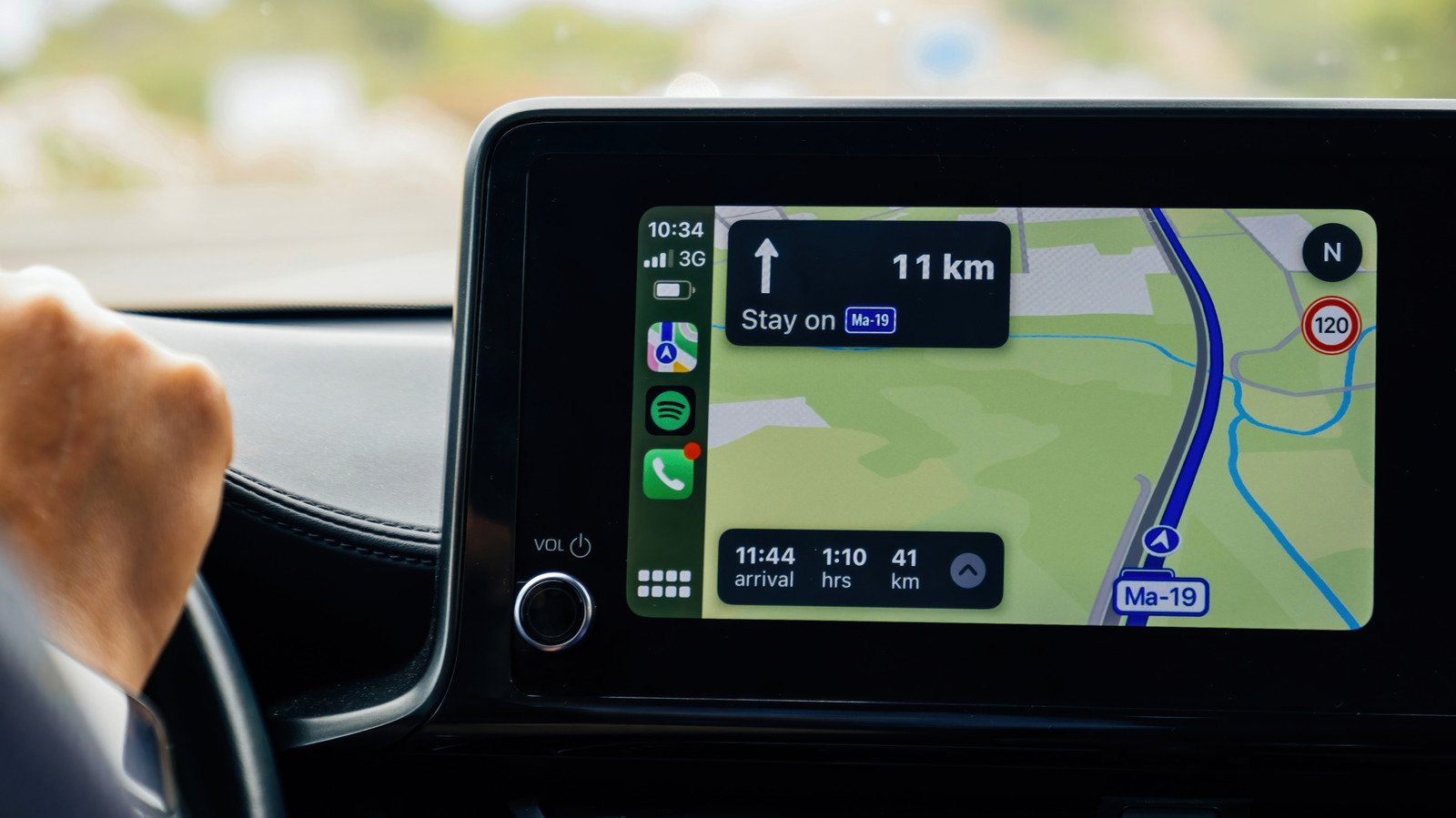
    Some navigation apps are broken in CarPlay, and iOS 27 might be to blame.


    Apple Maps turn-by-turn navigation on CarPlay.
    Hadrian/Shutterstock

    Apple’s CarPlay has gained some interesting new features since iOS 27 released, including the ability to watch videos while parked. But the update has also been giving some drivers headaches with third-party navigation apps. When using Google Maps or Waze, guidance banners end up overlapping the map on the screen, making turn-by-turn navigation difficult or nearly impossible.

    You’re not alone if this has been happening to your car — there are lots of complaints from drivers all over Reddit. Although many are blaming app developers, it actually seems to be a bug caused by iOS 27.

    Why Google Maps and Waze look broken in CarPlay after iOS 27

    With iOS 27, Apple has redesigned the template that third-party navigation apps use in CarPlay. Unlike on iOS itself, apps such as Google Maps and Waze cannot design their own interface from scratch for CarPlay. Instead, the apps send the information to iOS, which renders the next turn and ETA cards in the car. In theory, the apps should move the center of the map to the side when these banners appear, but that’s what seems to be failing after the iOS 27 update.

    A user in this r/CarPlay thread described the bug after installing iOS 27 on their phone — CarPlay simply stopped reporting the safe area to third-party apps. As a result, navigation banners appear on top of the map, preventing you from seeing what’s on the screen. A developer described the same behavior on Apple’s Developer Forums, and an Apple engineer replied that it’s a known issue in iOS 27. The bug doesn’t affect Apple Maps because Apple’s native apps have their own interface in CarPlay.

    The problem also gets worse depending on the size of your car’s screen. Wider screens provide more space for the map, so even with the cards overlapping, you can still see navigation clearly. However, compact multimedia units are more affected by this issue.

    What to do until Apple fixes the CarPlay bug


    Someone holding an iPhone with a CarPlay screen in the background.
    Hadrian/Shutterstock

    Since the bug appears to be caused by iOS and not apps, updating Google Maps or Waze probably won’t help — nor will reinstalling the apps or re-pairing your car. Those solutions only work when the apps aren’t showing up in CarPlay at all, so if that’s the case, go to Settings > General > CarPlay on your iPhone. Choose your car from the list, tap Customize and make sure the apps you want are enabled; otherwise, they won’t appear on your car’s display.

    That said, there is one CarPlay setting worth changing. Open the Settings app on your CarPlay screen, then go to Display and turn off Smart Display Zoom. It doesn’t seem to work for all vehicles, but some folks have said that changing this setting made the banners on the screen smaller. It’s not a permanent fix, but it should help until Apple fixes the bug — which still seems to be present in the first iOS 27.3 beta available to developers.

    Since some Apple engineers have already publicly acknowledged the bug on the company’s discussion forums, it’s likely that a fix isn’t too far off. Until then, it’s best to rely on voice guidance for navigation, or even use your phone’s screen instead of CarPlay. Or give Apple Maps a try in the meantime — it might be better than you expect.

    CarPlay experience Google iOS Maps Messing Waze
    Share. Facebook Twitter Pinterest LinkedIn Tumblr Email
    admin
    • Website

    Related Posts

    The Most Important Gemini Security Settings You Should Probably Be Using

    November 28, 2026

    Amazon Alexa Photo Frame review: an Echo smart display without ads

    November 28, 2026

    17 Best Buy Black Friday Deals on Hot Tech (2026): Up to 65% Off

    November 28, 2026
    Leave A Reply Cancel Reply

    Top Posts

    NVIDIA Is Investigating Reports That CEO Jensen Huang Was The Target Of Chinese Spy Efforts

    November 8, 202620 Views

    Mixture of Experts Explained

    November 13, 202610 Views

    Anthropic launches Claude Meetings to turn workplace discussions into plans and tasks

    November 10, 20269 Views

    Finetuning olmOCR to be a faithful OCR-Engine

    November 10, 20268 Views
    Don't Miss
    Gadgets & Smart Devices

    The Most Important Gemini Security Settings You Should Probably Be Using

    By adminNovember 28, 20260

    Limit Google’s access to your data on all of your devices. If you interact with…

    iOS 27 Could Be Messing Up Your CarPlay Experience With Google Maps And Waze

    November 28, 2026

    Sakana AI’s CEO says its homegrown models are about more than Japan’s national security

    November 28, 2026

    Amazon Alexa Photo Frame review: an Echo smart display without ads

    November 28, 2026
    About Us

    Welcome to TechWave Dispatch

    At TechWave Dispatch, we bring you the latest news, insights, and developments from the ever-evolving world of technology. Our mission is to keep readers informed about the innovations shaping our digital future.

    From artificial intelligence and machine learning to cybersecurity, robotics, smart devices, and groundbreaking technologies, we cover the topics that matter in today's fast-moving tech landscape.

    Our Picks

    The Most Important Gemini Security Settings You Should Probably Be Using

    November 28, 2026

    iOS 27 Could Be Messing Up Your CarPlay Experience With Google Maps And Waze

    November 28, 2026

    Sakana AI’s CEO says its homegrown models are about more than Japan’s national security

    November 28, 2026
    Most Popular

    A new bill could change how the US builds energy infrastructure 

    November 6, 20260 Views

    Taxonomy of agentic primitives in Amazon Quick

    November 6, 20260 Views

    Fox Wraps Up Its $22 Billion Roku Deal

    November 6, 20260 Views
    Facebook X (Twitter) Instagram Pinterest
    • Terms and Conditions
    • Privacy Policy
    • Contact Us
    • About Us
    © 2026 TechWave Dispatch. All Rights Reserved.

    Type above and press Enter to search. Press Esc to cancel.