Close Menu
techwavedispatch.com

    Subscribe to Updates

    Get the latest creative news from FooBar about art, design and business.

    What's Hot

    Monitoring Your Car’s Performance With CarPlay Is Easier Than You Think

    November 29, 2026

    Our 10 Favorite DIY Hands On Projects

    November 29, 2026

    Philosopher Thomas Nagel calls the idea of AI consciousness “just ridiculous”

    November 29, 2026
    Facebook X (Twitter) Instagram
    Trending
    • Monitoring Your Car’s Performance With CarPlay Is Easier Than You Think
    • Our 10 Favorite DIY Hands On Projects
    • Philosopher Thomas Nagel calls the idea of AI consciousness “just ridiculous”
    • Is It Cheaper To Build Or Buy A Gaming PC? Here’s What You Should Know
    • 9 Ways To Get Spotify Premium For Free (Or Much Cheaper)
    • How To Free Up Space In Your Microsoft OneDrive Storage
    • The AO3 outage that threw the fanfic world into chaos
    • Anthropic rejects claims that Claude sabotages coding work tied to AI development
    Facebook X (Twitter) Instagram
    techwavedispatch.com
    Subscribe
    Sunday, November 29
    • Home
    • AI Tools & Software
    • Machine Learning
    • Generative AI
    • Robotics & Automation
    • Future Tech & Hardware
    • AI in Business
    • Ethics & Regulations
    • More
      • Gadgets & Smart Devices
      • Cybersecurity & AI
      • Tech Breakthroughs
    techwavedispatch.com
    Home»Gadgets & Smart Devices»How to Run Your Favorite Vintage 1990s Screensavers on Your Mac
    Gadgets & Smart Devices

    How to Run Your Favorite Vintage 1990s Screensavers on Your Mac

    adminBy adminNovember 29, 2026No Comments2 Mins Read
    Facebook Twitter Pinterest LinkedIn Tumblr Email
    How to Run Your Favorite Vintage 1990s Screensavers on Your Mac
    Share
    Facebook Twitter LinkedIn Pinterest Email

    Do you remember the Flying Toasters screensaver? It was a classic, part of the legendary After Dark set of screensavers for Mac and, eventually, Windows computers.

    Back in the 1990s, whenever people wanted to look at something new on their computer, they would go to a physical store and purchase a box containing an actual floppy disk or CD. That’s just what life was like before the internet.

    Berkeley Systems, the company behind the After Dark collection, sold scads of these CD-ROMs stuffed with screensaver collections featuring Disney, Star Trek, Simpsons, and Looney Tunes characters, among others. The company changed hands multiple times, but some version of the original collection was still available until this year. Not anymore: the Japanese company Infinisys officially stopped offering it in March. That means there is no way to purchase the Flying Toasters screensaver or any of the After Dark collection.

    But now there’s a way to run these ancient screensavers on a brand-new Mac. Afterglow is a loving bit of emulation software from developer Jeff Halter of Morphing Cloud. With this modern macOS application, which is completely free, you can build a collection of these screensavers, watch and interact with them, and even use them on your modern Mac.

    To get started you just need to download the application. None of the screensavers are included in the bundle, meaning you’ll need to provide your own. If you have your old CD from the ’90s handy and have some way to get files off a CD in 2026, it’s as simple as dragging over the files from the CD. But there’s another way.

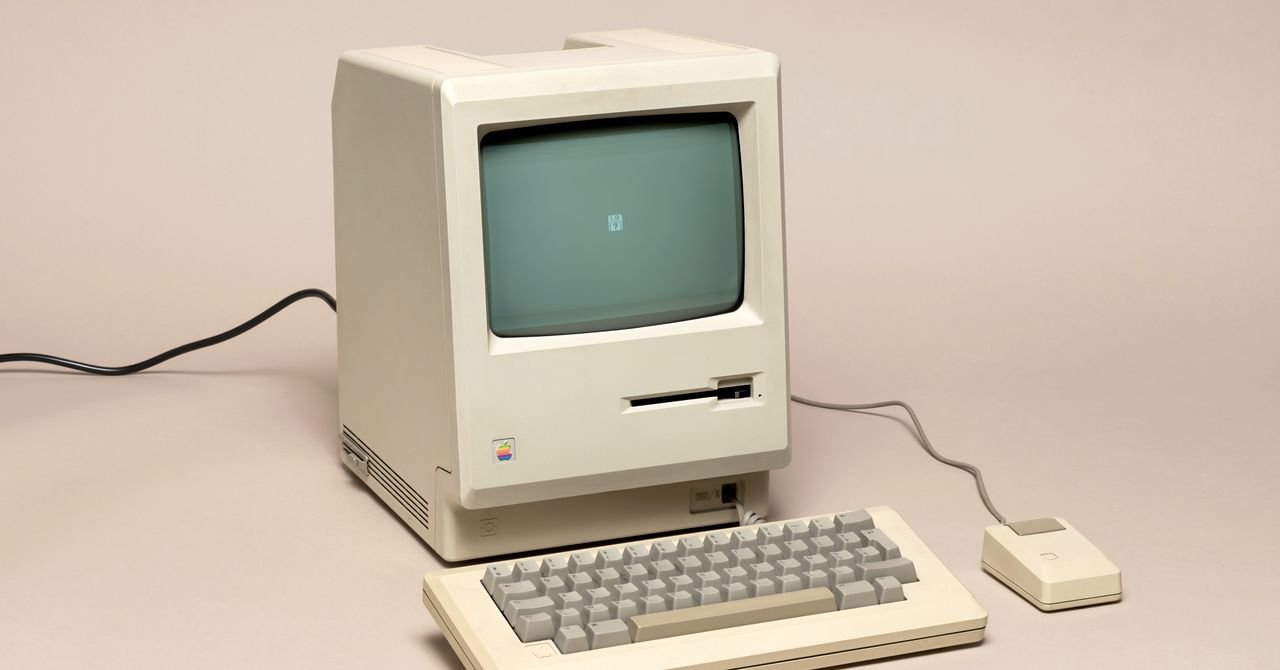
    Image may contain Sphere Computer Electronics and Pc

    Courtesy of Justin Pot

    1990s Favorite Mac Run Screensavers Vintage
    Share. Facebook Twitter Pinterest LinkedIn Tumblr Email
    admin
    • Website

    Related Posts

    Monitoring Your Car’s Performance With CarPlay Is Easier Than You Think

    November 29, 2026

    Our 10 Favorite DIY Hands On Projects

    November 29, 2026

    Is It Cheaper To Build Or Buy A Gaming PC? Here’s What You Should Know

    November 29, 2026
    Leave A Reply Cancel Reply

    Top Posts

    NVIDIA Is Investigating Reports That CEO Jensen Huang Was The Target Of Chinese Spy Efforts

    November 8, 202620 Views

    Mixture of Experts Explained

    November 13, 202610 Views

    Anthropic launches Claude Meetings to turn workplace discussions into plans and tasks

    November 10, 20269 Views

    Finetuning olmOCR to be a faithful OCR-Engine

    November 10, 20268 Views
    Don't Miss
    Gadgets & Smart Devices

    Monitoring Your Car’s Performance With CarPlay Is Easier Than You Think

    By adminNovember 29, 20260

    Tracking your car’s health from the driver’s seat takes less gear than you’d think. …

    Our 10 Favorite DIY Hands On Projects

    November 29, 2026

    Philosopher Thomas Nagel calls the idea of AI consciousness “just ridiculous”

    November 29, 2026

    Is It Cheaper To Build Or Buy A Gaming PC? Here’s What You Should Know

    November 29, 2026
    About Us

    Welcome to TechWave Dispatch

    At TechWave Dispatch, we bring you the latest news, insights, and developments from the ever-evolving world of technology. Our mission is to keep readers informed about the innovations shaping our digital future.

    From artificial intelligence and machine learning to cybersecurity, robotics, smart devices, and groundbreaking technologies, we cover the topics that matter in today's fast-moving tech landscape.

    Our Picks

    Monitoring Your Car’s Performance With CarPlay Is Easier Than You Think

    November 29, 2026

    Our 10 Favorite DIY Hands On Projects

    November 29, 2026

    Philosopher Thomas Nagel calls the idea of AI consciousness “just ridiculous”

    November 29, 2026
    Most Popular

    CWE-bench v2: More coverage, quality, and transparency

    November 6, 20260 Views

    Govern AI agent access with Okta Cross App Access and Amazon Bedrock AgentCore – Part 1

    November 6, 20260 Views

    Granite Switch 4.1.1 — Update models like you update software

    November 6, 20260 Views
    Facebook X (Twitter) Instagram Pinterest
    • Terms and Conditions
    • Privacy Policy
    • Contact Us
    • About Us
    © 2026 TechWave Dispatch. All Rights Reserved.

    Type above and press Enter to search. Press Esc to cancel.