Close Menu
techwavedispatch.com

    Subscribe to Updates

    Get the latest creative news from FooBar about art, design and business.

    What's Hot

    Monitoring Your Car’s Performance With CarPlay Is Easier Than You Think

    November 29, 2026

    Our 10 Favorite DIY Hands On Projects

    November 29, 2026

    Philosopher Thomas Nagel calls the idea of AI consciousness “just ridiculous”

    November 29, 2026
    Facebook X (Twitter) Instagram
    Trending
    • Monitoring Your Car’s Performance With CarPlay Is Easier Than You Think
    • Our 10 Favorite DIY Hands On Projects
    • Philosopher Thomas Nagel calls the idea of AI consciousness “just ridiculous”
    • Is It Cheaper To Build Or Buy A Gaming PC? Here’s What You Should Know
    • 9 Ways To Get Spotify Premium For Free (Or Much Cheaper)
    • How To Free Up Space In Your Microsoft OneDrive Storage
    • The AO3 outage that threw the fanfic world into chaos
    • Anthropic rejects claims that Claude sabotages coding work tied to AI development
    Facebook X (Twitter) Instagram
    techwavedispatch.com
    Subscribe
    Sunday, November 29
    • Home
    • AI Tools & Software
    • Machine Learning
    • Generative AI
    • Robotics & Automation
    • Future Tech & Hardware
    • AI in Business
    • Ethics & Regulations
    • More
      • Gadgets & Smart Devices
      • Cybersecurity & AI
      • Tech Breakthroughs
    techwavedispatch.com
    Home»Gadgets & Smart Devices»How To Free Up Space In Your Microsoft OneDrive Storage
    Gadgets & Smart Devices

    How To Free Up Space In Your Microsoft OneDrive Storage

    adminBy adminNovember 29, 2026No Comments4 Mins Read
    Facebook Twitter Pinterest LinkedIn Tumblr Email
    How To Free Up Space In Your Microsoft OneDrive Storage
    Share
    Facebook Twitter LinkedIn Pinterest Email

    It’s worth taking a look and making sure big files aren’t cluttering up your OneDrive.
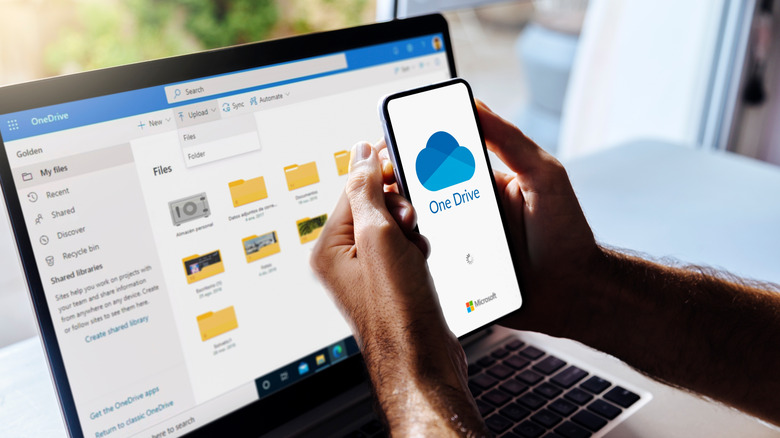

    A person using Microsoft OneDrive application on phone to sync data with a laptop.
    Alex Photo Stock/Shutterstock

    Microsoft OneDrive’s data backup and sync service makes it possible to bring your important files wherever you go. Its ability to securely sync your data across multiple devices and platforms makes it an excellent cross-platform backup and sync utility. However, like most cloud backup services, Microsoft OneDrive also comes with a storage cap, and once it meets or exceeds this threshold, backup and sync issues can become bottlenecks in your workflow. When your OneDrive storage runs out of free space, it stops syncing data between the cloud and your devices. If the storage quota exceeds the assigned threshold, Microsoft switches your OneDrive account to read-only mode, requiring you to free up space to resume normal functionality.

    If your Microsoft OneDrive storage is running low, the first step is to identify which files are consuming the most storage. You can then systematically remove or move unwanted files or old data to a local drive or a similar file backup service. Keep in mind that removing synced files from the cloud also deletes them from all your synced devices. So, it becomes critical to review what you delete from your cloud storage when attempting to free up space.

    How to free space in your Microsoft OneDrive storage?

    Microsoft OneDrive allows you to manage your cloud storage both though its native Windows app and its website. However, the steps to finding and managing your files remain mostly the same in both cases.

    To free up space in your OneDrive cloud, click the OneDrive app in the Windows tray or sign in to the OneDrive website using a web browser. Next, click the cog wheel (located in the top-right corner of the screen if you’re using the website), followed by Settings. This will take you to the OneDrive options page. Now, click Manage Storage to review and manage your synced files.

    The Manage Storage page includes a storage summary section, showing how much storage you’ve used and how much of it is remaining. Below the storage summary is the Free up space section where you can find options to review and delete your files. To see which files are consuming most of your storage, click View Large Files. This will bring up a list of your synced files, sorted by size in descending order. Refrain from deleting these files indiscriminately, and to prevent accidental deletion of important files, consider taking a local backup of the files you plan to delete. Finally, empty the recycle bin to free up your OneDrive storage.

    How to prevent your Microsoft OneDrive storage from running out of space unexpectedly?

    Microsoft OneDrive creates a dedicated backup folder, which it calls OneDrive Folder, when you first set it up on your device. Anything that gets saved into this folder is automatically synced to the cloud. Additionally, you can enable folder backups to sync your Desktop, Documents, Pictures, Music and Videos folders to the OneDrive.

    If you’re not particular about managing what files go into these folders, OneDrive could potentially back up large files like zip archives and videos, and this could eat into your available storage without your knowledge. To avoid such scenarios, it’s recommended to disable backup for folders you’re sure don’t need syncing. It’s also advised to periodically review your OneDrive storage summary to identify and manage large, unwanted and old backup files.

    Microsoft offers 5GB of free cloud storage to all OneDrive users. However, if you use the service to back up your camera roll, videos, and other important files, you might find OneDrive’s free tier limiting. Moreover, if your storage consists of important files that you can’t afford to move or delete, the limited storage becomes even more of a concern. You can overcome this limitation by upgrading to a paid Microsoft 365 account, with storage options ranging from 100GB to 2TB, depending on your subscription.

    Free Microsoft OneDrive Space Storage
    Share. Facebook Twitter Pinterest LinkedIn Tumblr Email
    admin
    • Website

    Related Posts

    Monitoring Your Car’s Performance With CarPlay Is Easier Than You Think

    November 29, 2026

    Is It Cheaper To Build Or Buy A Gaming PC? Here’s What You Should Know

    November 29, 2026

    9 Ways To Get Spotify Premium For Free (Or Much Cheaper)

    November 29, 2026
    Leave A Reply Cancel Reply

    Top Posts

    NVIDIA Is Investigating Reports That CEO Jensen Huang Was The Target Of Chinese Spy Efforts

    November 8, 202620 Views

    Mixture of Experts Explained

    November 13, 202610 Views

    Anthropic launches Claude Meetings to turn workplace discussions into plans and tasks

    November 10, 20269 Views

    Finetuning olmOCR to be a faithful OCR-Engine

    November 10, 20268 Views
    Don't Miss
    Gadgets & Smart Devices

    Monitoring Your Car’s Performance With CarPlay Is Easier Than You Think

    By adminNovember 29, 20260

    Tracking your car’s health from the driver’s seat takes less gear than you’d think. …

    Our 10 Favorite DIY Hands On Projects

    November 29, 2026

    Philosopher Thomas Nagel calls the idea of AI consciousness “just ridiculous”

    November 29, 2026

    Is It Cheaper To Build Or Buy A Gaming PC? Here’s What You Should Know

    November 29, 2026
    About Us

    Welcome to TechWave Dispatch

    At TechWave Dispatch, we bring you the latest news, insights, and developments from the ever-evolving world of technology. Our mission is to keep readers informed about the innovations shaping our digital future.

    From artificial intelligence and machine learning to cybersecurity, robotics, smart devices, and groundbreaking technologies, we cover the topics that matter in today's fast-moving tech landscape.

    Our Picks

    Monitoring Your Car’s Performance With CarPlay Is Easier Than You Think

    November 29, 2026

    Our 10 Favorite DIY Hands On Projects

    November 29, 2026

    Philosopher Thomas Nagel calls the idea of AI consciousness “just ridiculous”

    November 29, 2026
    Most Popular

    CWE-bench v2: More coverage, quality, and transparency

    November 6, 20260 Views

    Govern AI agent access with Okta Cross App Access and Amazon Bedrock AgentCore – Part 1

    November 6, 20260 Views

    Granite Switch 4.1.1 — Update models like you update software

    November 6, 20260 Views
    Facebook X (Twitter) Instagram Pinterest
    • Terms and Conditions
    • Privacy Policy
    • Contact Us
    • About Us
    © 2026 TechWave Dispatch. All Rights Reserved.

    Type above and press Enter to search. Press Esc to cancel.