Close Menu
techwavedispatch.com

    Subscribe to Updates

    Get the latest creative news from FooBar about art, design and business.

    What's Hot

    The Download: AI’s judgment problem and carbon removal’s crop threat

    November 23, 2026

    Ruby: State-of-the-Art Potency Prediction across Discovery Regimes Using Learned Structural Representations

    November 23, 2026

    Provenance, Probing, and Continual LoRA Composition

    November 23, 2026
    Facebook X (Twitter) Instagram
    Trending
    • The Download: AI’s judgment problem and carbon removal’s crop threat
    • Ruby: State-of-the-Art Potency Prediction across Discovery Regimes Using Learned Structural Representations
    • Provenance, Probing, and Continual LoRA Composition
    • Reducing Regressivity in Machine-Learning Valuation
    • [2609.38372] Multi-Task Self-Evolving Harnesses with the Agent as Its Own Optimizer
    • Zero-Shot Financial Risk Assessment with a Language Decision Model
    • A triple-screen portable monitor means more pixels—and more bulk
    • GPT-6.2 Astra solved a math theorem no other AI could crack, then invented its own proof strategy
    Facebook X (Twitter) Instagram
    techwavedispatch.com
    Subscribe
    Monday, November 23
    • Home
    • AI Tools & Software
    • Machine Learning
    • Generative AI
    • Robotics & Automation
    • Future Tech & Hardware
    • AI in Business
    • Ethics & Regulations
    • More
      • Gadgets & Smart Devices
      • Cybersecurity & AI
      • Tech Breakthroughs
    techwavedispatch.com
    Home»Gadgets & Smart Devices»5 CarPlay Apps For Listening To Music And Podcasts
    Gadgets & Smart Devices

    5 CarPlay Apps For Listening To Music And Podcasts

    adminBy adminNovember 17, 2026No Comments5 Mins Read
    Facebook Twitter Pinterest LinkedIn Tumblr Email
    5 CarPlay Apps For Listening To Music And Podcasts
    Share
    Facebook Twitter LinkedIn Pinterest Email

    From free streaming to offline files and live radio, these apps are worth adding to your CarPlay setup.


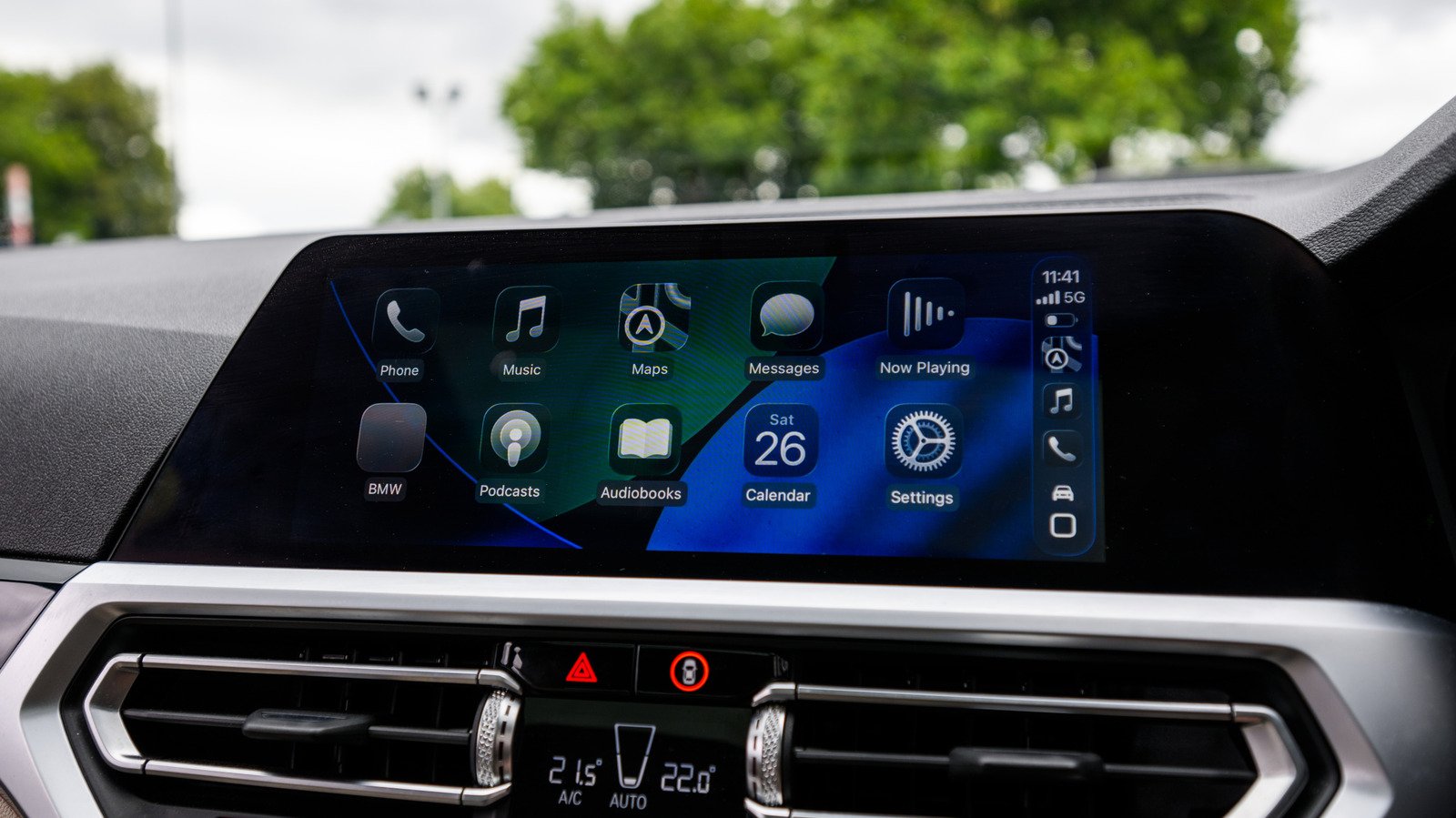
    The CarPlay Home Screen on a car's dashboard.
    Harry Howitt/Shutterstock

    1. Spotify


    Hand holding an iPhone with the Spotify logo on it, and a CarPlay screen in the background.
    Bence Bezeredy/Getty Images

    You can’t talk about music apps without mentioning Spotify, which is not only the world’s leading music streaming platform but also the main rival to Apple Music. Many people like it because it offers a free tier, so you can listen to songs without paying — though this means you’ll hear ads during playback. Spotify also has a CarPlay app, so you can listen to your favorite songs or find new ones right from your car’s dashboard.

    Spotify also brings audiobooks and podcasts into its experience so you don’t have to switch between apps for different audio purposes. Apple, on the other hand, splits songs and podcasts between different apps. There’s no right or wrong here; some people might prefer to have everything in one place. You can download Spotify for free on the App Store. For an ad-free experience, the Premium subscription costs $12.99/month, which also enables lossless audio and offline playback.

    2. SongCapsule


    The SongCapsule app on CarPlay showing a playlist of forgotten songs.
    Filipe Espósito for Engadget

    SongCapsule is one of those indie apps you can only find on iOS, and it’s especially useful for Apple Music subscribers. It brings songs you haven’t listened to in years back to your attention with playlists tailored to your tastes, sorted by genre or artist. 

    The service helps you rediscover your music library by acting as a personal DJ. You can create new playlists based on your own criteria or simply play your entire library on shuffle. And as you won’t be surprised to learn, it also has a CarPlay version.

    A big plus for SongCapsule is that the app is a one-time $5 purchase, with no recurring subscriptions. It also works with iPad, Mac and even Vision Pro. Those who don’t subscribe to Apple Music can still use the app with a local music library.

    3. VLC


    The VLC app on CarPlay showing a locally stored album.
    Filipe Espósito for Engadget

    VLC has become well-known for supporting many different codecs and formats, including FLAC and AC3. It’s also a free, open-source app with no subscriptions or ads. Because it’s open-source, you can find VLC available for pretty much every platform, from macOS to Windows, iOS and Android — and of course, CarPlay.

    Inside CarPlay, the VLC app lets you organize your library by artist and playlist, and transferring your files is super easy; you can do it from the Files app or using a computer. You won’t find curated playlists or anything like that, but if having all your music downloaded offline is what you’re after, VLC is the way to go.

    4. Pocket Casts


    The Pocket Casts app on CarPlay, showing a list of available podcasts.
    Filipe Espósito for Engadget

    CarPlay comes with Apple Podcasts built-in, but many podcast fans consider it too limited. If you want to enhance your podcast listening experience, Pocket Casts is an offering clearly made by people who listen to a lot of podcasts. It’s free to download (though there’s a paid subscription) and works with CarPlay. You get features like trimming out silences, adjusting playback speed and creating your own filters that automatically sort episodes.

    The CarPlay app mirrors everything from your iPhone, so the queue and filters are exactly the same and you don’t have to reorganize everything. There are also episode cover art images available in the CarPlay app — a useful detail for shows that split episodes into segments, each with its own artwork. If you really like the experience, the subscription adds cloud storage so you can upload your own audio files.

    5. TuneIn


    The TuneIn app on CarPlay showing multiple radio stations available for streaming.
    Filipe Espósito for Engadget

    Radio stations may not be as popular as they used to be, but that doesn’t mean they’re dead. Instead, many radio stations have moved online with live streaming. TuneIn brings these stations to your phone and also to CarPlay. There are over 100,000 stations available from all over the world, and listening to them is free with ads. You can use TuneIn to listen to your favorite local station when you’re traveling or to discover new stations from other parts of the world.

    Any station you bookmark on your iPhone will show up in the CarPlay app, making it easy to find them while you’re driving. There are also options to organize by categories such as news and sports, and you can ask Siri to play a specific station on TuneIn — all hands-free. TuneIn is a free app, but there’s a $9.99/month subscription that unlocks live sports and audiobooks. The paid version also cuts down the number of ads while you listen.

    If you already have any of these apps on your iPhone but don’t see them in CarPlay, open Settings on your iPhone and go to General. Then, tap CarPlay, select your car from the list and choose Customize. If the app you’re looking for is in the bottom list, tap the green Plus button to add it to CarPlay, then sort as needed.

    Apps CarPlay Listening Music Podcasts
    Share. Facebook Twitter Pinterest LinkedIn Tumblr Email
    admin
    • Website

    Related Posts

    40 Gifts Under $100 That Will Delight Any Tech Enthusiast (2026)

    November 23, 2026

    Best Gifts for Parents (and Their Babies): Bottle Washers, Prepared Meals, and More

    November 23, 2026

    Early Black Friday iPad Deals Already Worth Shopping (2026)

    November 23, 2026
    Leave A Reply Cancel Reply

    Top Posts

    NVIDIA Is Investigating Reports That CEO Jensen Huang Was The Target Of Chinese Spy Efforts

    November 8, 202619 Views

    ADIndex: Layer-Adaptive Sparse Attention Indexing via Group-Level Distillation

    November 11, 20266 Views

    Anthropic releases new Mythos and Fable models amid RSI concerns

    November 9, 20266 Views

    If AGI is so close, why is everyone leaving? The neolabs and their bets

    November 6, 20266 Views
    Don't Miss
    Future Tech & Hardware

    The Download: AI’s judgment problem and carbon removal’s crop threat

    By adminNovember 23, 20260

    —James Temple The must-reads I’ve combed the internet to find you today’s most fun/important/scary/fascinating stories…

    Ruby: State-of-the-Art Potency Prediction across Discovery Regimes Using Learned Structural Representations

    November 23, 2026

    Provenance, Probing, and Continual LoRA Composition

    November 23, 2026

    Reducing Regressivity in Machine-Learning Valuation

    November 23, 2026
    About Us

    Welcome to TechWave Dispatch

    At TechWave Dispatch, we bring you the latest news, insights, and developments from the ever-evolving world of technology. Our mission is to keep readers informed about the innovations shaping our digital future.

    From artificial intelligence and machine learning to cybersecurity, robotics, smart devices, and groundbreaking technologies, we cover the topics that matter in today's fast-moving tech landscape.

    Our Picks

    The Download: AI’s judgment problem and carbon removal’s crop threat

    November 23, 2026

    Ruby: State-of-the-Art Potency Prediction across Discovery Regimes Using Learned Structural Representations

    November 23, 2026

    Provenance, Probing, and Continual LoRA Composition

    November 23, 2026
    Most Popular

    Egyptian and Nigerian English join the Open ASR Leaderboard

    November 6, 20260 Views

    Ads in Chatbots Have Arrived. Here’s What’s Working—and What’s Not

    November 6, 20260 Views

    The General Purpose Pendulum – O’Reilly

    November 6, 20260 Views
    Facebook X (Twitter) Instagram Pinterest
    • Terms and Conditions
    • Privacy Policy
    • Contact Us
    • About Us
    © 2026 TechWave Dispatch. All Rights Reserved.

    Type above and press Enter to search. Press Esc to cancel.