

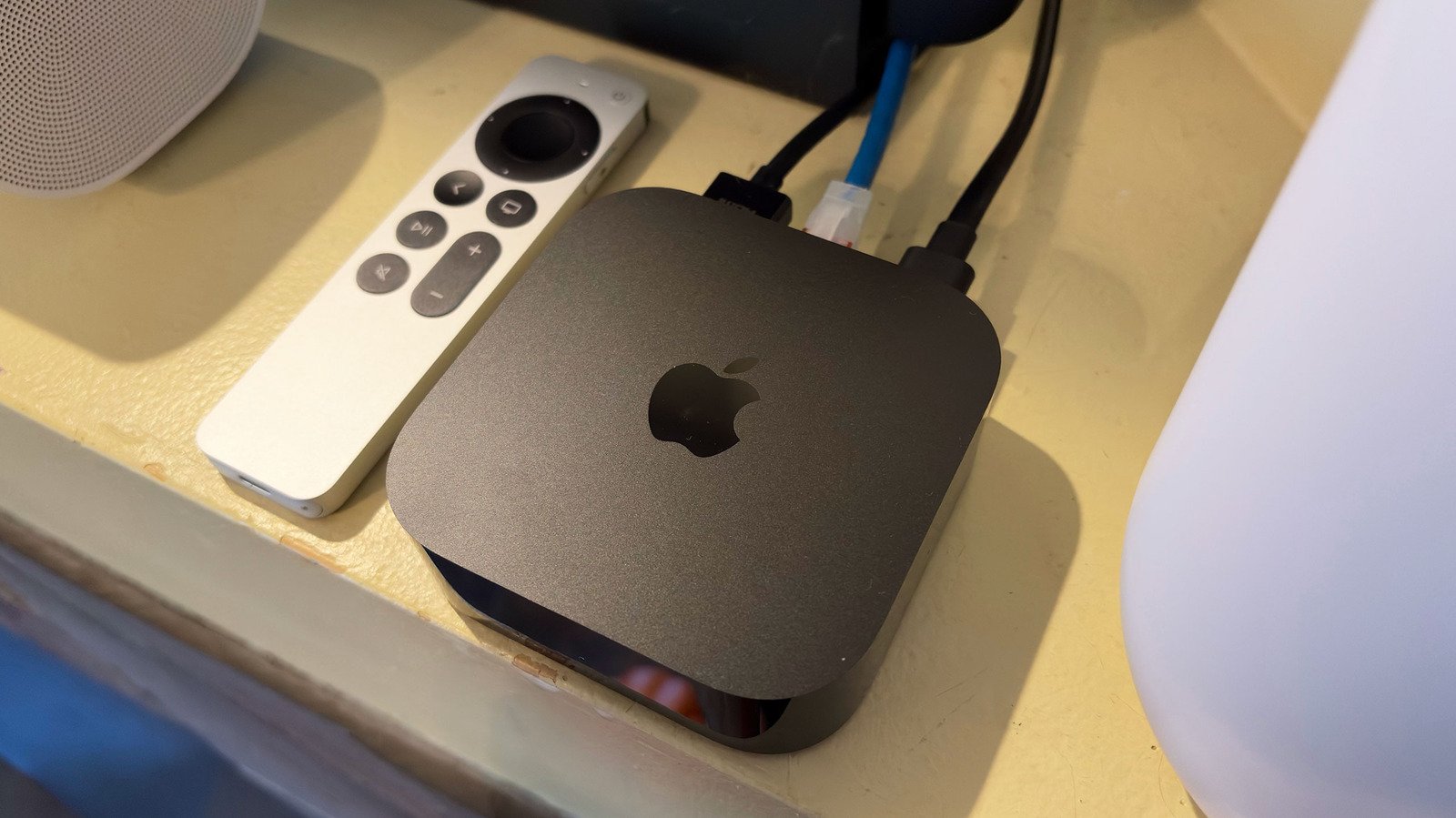
If you were hoping for a new design, there are only subtle tweaks to report. The most evident is that Apple moved the light on the front of the box from the right to the center. If you dive into the spec sheets, you’ll discover the new model is slightly larger than the previous version. I’m talking 0.24mm bigger in width and depth, and 3 grams heavier. You’ll be forgiven for not noticing. The Siri Remote, however, is exactly the same size at 1.4 inches x 5.4 inches x 0.36 inches.
Apple upgraded the processor from the A15 Bionic to the A19 chip. In iPhone terms, that would be like going from an iPhone 13 to an iPhone 17, so the computing power increase here is significant. The company says that the A19 chip is capable of 50 percent faster CPU performance and up to 2x faster GPU performance than the previous Apple TV 4K. I don’t have the tools to quantifiably check those claims, but I can tell you the device is super responsive, navigation is speedy and overall the UI is noticeably more fluid. Plus, the A19 delivers a dedicated AV1 decoder for HDR rendering efficiency.
Of course, the A19 offers a boost to Siri AI, which is playing a bigger role in the living room thanks to the new Apple TV 4K. For starters, the streaming box now has three far-field microphones built in, so you no longer have to use the remote to interact with the assistant. You can simply speak your queries while watching TV and Siri is off and running. Like before, Apple’s AI can help with finding and playing live TV, movies, shows and sports from your go-to apps. But with Siri’s recently expanded capabilities, it can now pull in personal context from Messages and other apps too. So when you want Siri to “play the show Jack texted me about,” the assistant knows just what to do. Additionally, audio captured from the far-field mics is processed within the Secure Exclave on the A19, so neither the apps, the OS nor Apple get access to any of the data.
The new feature that will get the most use at my house is Precision Finding for the remote in the Find My app. I have two kids who are constantly leaving the remote in undisclosed locations, so the added ability to play a sound has already greatly reduced the amount of time I spend searching for it. And when I can’t hear it, Precision Finding is better than the previous method for locating the remote with an iPhone. With the built-in mics for Siri though, a lost remote is much less frustrating since you can just tell the Apple TV 4K what to do.
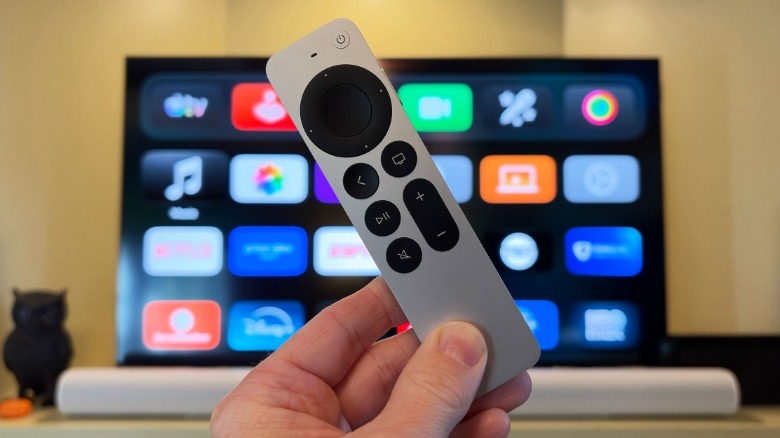
There’s also a noteworthy audio upgrade on the Apple TV 4K. Before, you could only use two HomePod or HomePod mini speakers as a stereo pair. Now you can use up to four of those, so long as they’re second-gen HomePods or HomePod mini 2s, for a more complete home theater surround sound system. The only additional requirement is that the two front speakers and two rear speakers have to match. So you can have two HomePods in the front and two HomePod mini 2s in the back, which is the configuration I tested. If you have four of the same speaker, that works too.
Once you have all of the HomePods in place, you’ll hear a series of tones as the Apple TV 4K locates the speakers and tunes the audio for the room. I suspected that a combination of HomePods and HomePod minis is the ideal setup and my testing proved me right. The HomePods provide the added bass needed for action scenes, or really just for a fuller soundstage most TV viewing will eventually require. The HomePod minis can’t do that on their own, but they do well as rear speakers, providing dimensional backup to the larger speakers at the front. I think having four HomePods would be overkill, not to mention expensive. I also heard a four-mini configuration during a demo last month, and while it’s certainly a boost compared to TV speakers, it’s not nearly as potent as the arrangement I tested at home.
I’ll also note that there’s a feature called Whole Room Audio that will be great for parties and gatherings. This allows for all four speakers to play the same sounds, rather than the fragments each might deliver in a surround sound setup. This ensures that everyone hears everything, from vocals to guitars, or even the commentators of an F1 race. Whole Room Audio is also easy to activate as it’s accessible from the Speaker Mode option in the Control Center.
Like it has in the past, the new Apple TV 4K can function as a smart home hub. This allows you to control HomeKit and Matter accessories like cameras, locks and thermostats, and Apple says “thousands” of such devices are compatible. Thanks to the HomeKit Secure Video, you can expect secure local processing on the streaming box, which encrypts clips before they’re stored in iCloud. Apple Intelligence provides captions for camera feeds and you can control everything from the Control Center.
Siri voice control is available as well, as is the ability to run scenes from the Home app in the Control Center. If you have a HomeKit or Matter compatible camera (I don’t), you can get a live view of those in the top right corner of your TV screen. If someone rings the doorbell, you can also choose to be automatically notified on the display you’re already looking at. If needed, you can chat with them and unlock the door without leaving your seat.
