Close Menu
techwavedispatch.com

    Subscribe to Updates

    Get the latest creative news from FooBar about art, design and business.

    What's Hot

    Here's how much it would cost to build a PC similar to the PlayStation 5 Pro

    November 29, 2026

    Why You Should Consider Using Your Old Phone As A Smart Home Remote

    November 28, 2026

    Your iPhone’s Camera Can Do A Lot More Than Take Pictures

    November 28, 2026
    Facebook X (Twitter) Instagram
    Trending
    • Here's how much it would cost to build a PC similar to the PlayStation 5 Pro
    • Why You Should Consider Using Your Old Phone As A Smart Home Remote
    • Your iPhone’s Camera Can Do A Lot More Than Take Pictures
    • These Budget-Friendly Security Cameras Don’t Have A Monthly Subscription Fee
    • Common Reasons Your Apple AirTag Will Randomly Beep
    • The Risks Of Using Alcohol Wipes On Your Laptop Screen
    • iOS 27 Has Automatic Subtitles, But You Can Simply Turn Them Off
    • How To Get Warnings About Speed Cameras In Android Auto
    Facebook X (Twitter) Instagram
    techwavedispatch.com
    Subscribe
    Sunday, November 29
    • Home
    • AI Tools & Software
    • Machine Learning
    • Generative AI
    • Robotics & Automation
    • Future Tech & Hardware
    • AI in Business
    • Ethics & Regulations
    • More
      • Gadgets & Smart Devices
      • Cybersecurity & AI
      • Tech Breakthroughs
    techwavedispatch.com
    Home»Gadgets & Smart Devices»Why You Should Consider Using Your Old Phone As A Smart Home Remote
    Gadgets & Smart Devices

    Why You Should Consider Using Your Old Phone As A Smart Home Remote

    adminBy adminNovember 28, 2026No Comments4 Mins Read
    Facebook Twitter Pinterest LinkedIn Tumblr Email
    Why You Should Consider Using Your Old Phone As A Smart Home Remote
    Share
    Facebook Twitter LinkedIn Pinterest Email

    Repurpose your spare smartphone or tablet into a dedicated smart home dashboard to control your lights, cameras and robot vacuums with a single tap.


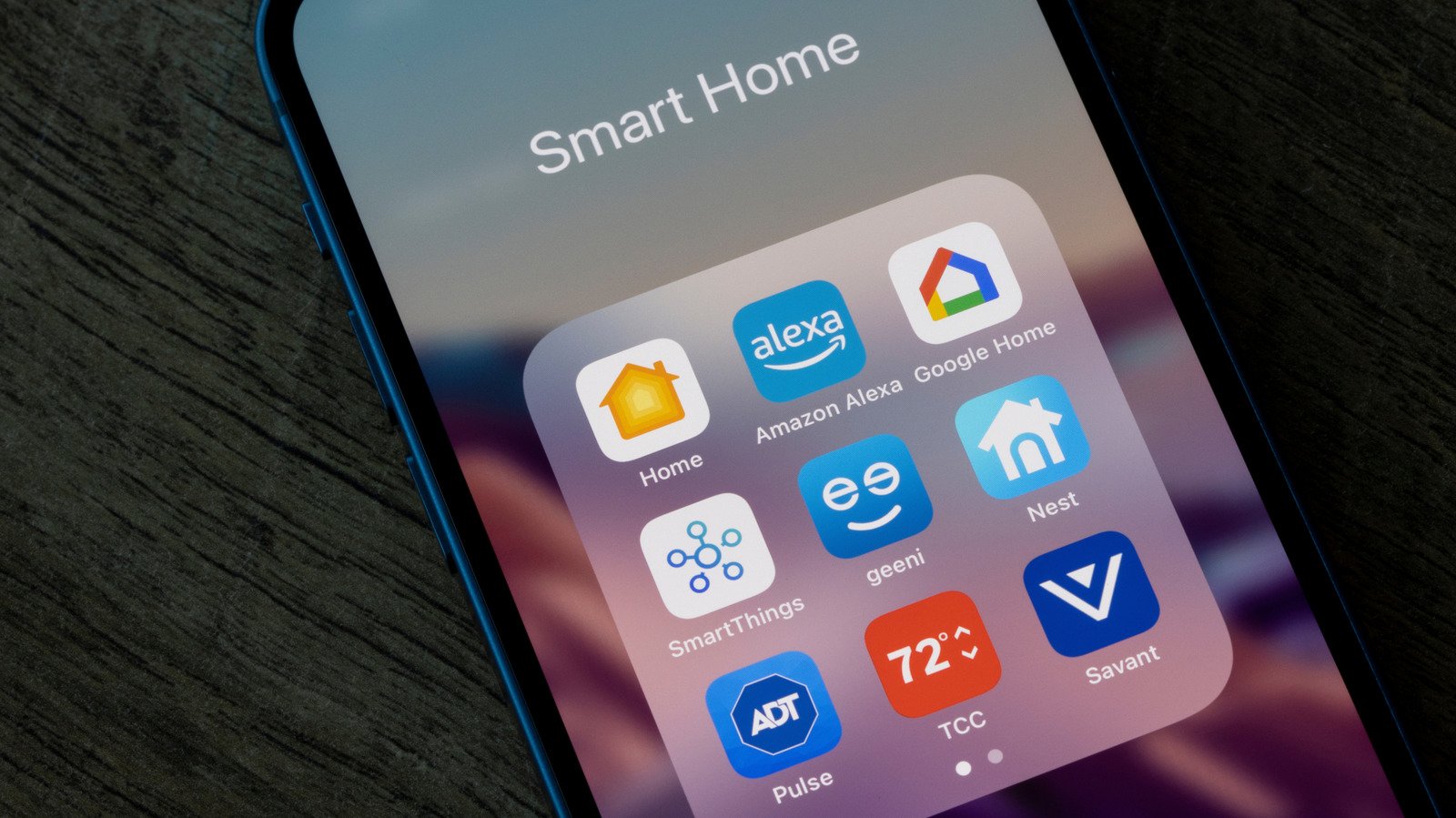
    iPhone screen with smart home folder containing HomeKit, Google Home and other apps.
    Tada Images/Shutterstock

    Whether you only have a few smart bulbs or an entire sprawling network of connected devices, controlling a smart home can be a frustrating multi-step process. For example, I need to reach for my phone or utter a voice command to toggle the lights at my desk. Neither solution feels natural, especially when compared to just flicking a switch. But controlling your smart home devices can be frictionless if you have an old phone or tablet lying around.

    Old smartphones or tablets are perfect candidates to repurpose as a smart home dashboard since you can mount them on a stand and leave them plugged in all day. You don’t need powerful hardware either, since it simply needs to display a single app or webpage. I’ve personally added a MagSafe-compatible ring to an old Android phone in combination with a wireless charging stand accessory to keep it topped up.

    You don’t have to stop at smart lights, either — I’ve added all kinds of devices to my dashboard, ranging from my robot vacuum to music controls for the smart speakers dotted around my home. You can also add cameras to the dashboard so you can quickly glance over to see who’s at your front door. Smart displays like Apple’s HomeView with Siri AI could have eliminated the need for a iPhone smart remote functionality, but you don’t need to pay for one if you already have an old phone lying around.

    Building a smart home dashboard is easy and takes just minutes


    Person using a smartphone to change a smart bulb's color.
    Rosshelen/Getty Images

    If you have devices from different manufacturers, you might be dealing with dozens of disparate smart home apps and ecosystems. The industry has made advancements here, with Matter bringing devices under one connectivity standard.

    Even if your devices don’t support Matter, many smart devices can be added to a hub like Google Home, Apple HomeKit or Samsung SmartThings. For example, linking Philips Hue, TP-Link Kasa and Govee devices to a Google Home account eliminates the need for multiple manufacturer-specific apps.

    On my spare Android phone, I simply have the Google Home app running at all times. I can see the list of paired devices, check their status and tap to toggle them. If you have an iPhone, you can use Apple’s Home app instead — in fact, its interface looks better suited for an always-on remote.

    You should also disable your phone or tablet’s display timeout. On Android, the Stay Awake developer setting prevents the plugged-in device from turning off. iOS doesn’t have a similar setting, but you can achieve the same thing through an accessibility feature called Guided Access. You can find it under Settings > Accessibility > Guided Access — this locks your iPhone or iPad to a single app until you triple-click the lock button.

    Customizable smart dashboards: third-party apps and Home Assistant


    Person adjusting a digital thermostat on an iPad screen mounted on a wall.
    Andresr/Getty Images

    My biggest pet peeve with Google Home and HomeKit is their restrictive customization. You can re-arrange device controls, but you cannot add custom elements like the time, weather or calendar.

    On iOS and iPadOS, third-party apps like HomeDash or HomePad let you create personalized dashboards that include those missing clock, weather and music player elements. HomePad also offers an image screensaver that cycles through your personal albums while the device is idle, similar to a digital photo frame.

    Google Home doesn’t let third-party apps connect to your devices. Instead, Android users can use standalone smart home remotes like HomeHabit, which bypass Google entirely to connect directly to Philips Hue and other ecosystems. Home Assistant is arguably the most customizable smart home platform, and it’s entirely free to use. The only caveat is that you’ll need an always-on computer like a mini PC or Raspberry Pi to host Home Assistant.

    Home Assistant allows you to add devices from just about any smart home manufacturer or ecosystem. I’ve added custom widgets from the marketplace that show me the weather, air quality and even when I need to take out the trash. It also supports connectivity protocols like Zigbee and Thread, letting you directly pair devices from brands like Philips Hue and IKEA without their respective hubs.

    Home phone remote Smart
    Share. Facebook Twitter Pinterest LinkedIn Tumblr Email
    admin
    • Website

    Related Posts

    Here's how much it would cost to build a PC similar to the PlayStation 5 Pro

    November 29, 2026

    Your iPhone’s Camera Can Do A Lot More Than Take Pictures

    November 28, 2026

    These Budget-Friendly Security Cameras Don’t Have A Monthly Subscription Fee

    November 28, 2026
    Leave A Reply Cancel Reply

    Top Posts

    NVIDIA Is Investigating Reports That CEO Jensen Huang Was The Target Of Chinese Spy Efforts

    November 8, 202620 Views

    Mixture of Experts Explained

    November 13, 202610 Views

    Anthropic launches Claude Meetings to turn workplace discussions into plans and tasks

    November 10, 20269 Views

    Finetuning olmOCR to be a faithful OCR-Engine

    November 10, 20268 Views
    Don't Miss
    Gadgets & Smart Devices

    Here's how much it would cost to build a PC similar to the PlayStation 5 Pro

    By adminNovember 29, 20260

    The PlayStation 5 Pro isn't exactly cheap, so you may be wondering if building a…

    Why You Should Consider Using Your Old Phone As A Smart Home Remote

    November 28, 2026

    Your iPhone’s Camera Can Do A Lot More Than Take Pictures

    November 28, 2026

    These Budget-Friendly Security Cameras Don’t Have A Monthly Subscription Fee

    November 28, 2026
    About Us

    Welcome to TechWave Dispatch

    At TechWave Dispatch, we bring you the latest news, insights, and developments from the ever-evolving world of technology. Our mission is to keep readers informed about the innovations shaping our digital future.

    From artificial intelligence and machine learning to cybersecurity, robotics, smart devices, and groundbreaking technologies, we cover the topics that matter in today's fast-moving tech landscape.

    Our Picks

    Here's how much it would cost to build a PC similar to the PlayStation 5 Pro

    November 29, 2026

    Why You Should Consider Using Your Old Phone As A Smart Home Remote

    November 28, 2026

    Your iPhone’s Camera Can Do A Lot More Than Take Pictures

    November 28, 2026
    Most Popular

    Why the 2026 Solar Eclipse Will Reshape Corona Studies

    November 6, 20260 Views

    A new way for LLMs to retain knowledge in continual learning

    November 6, 20260 Views

    Can a Radar-Equipped AC Actually Cut Your Power Bill?

    November 6, 20260 Views
    Facebook X (Twitter) Instagram Pinterest
    • Terms and Conditions
    • Privacy Policy
    • Contact Us
    • About Us
    © 2026 TechWave Dispatch. All Rights Reserved.

    Type above and press Enter to search. Press Esc to cancel.