Close Menu
techwavedispatch.com

    Subscribe to Updates

    Get the latest creative news from FooBar about art, design and business.

    What's Hot

    Samsung Will Reportedly Reveal Its First Humanoid Robot At CES

    November 29, 2026

    Review: VisionQuest is a satisfying end to WandaVision trilogy

    November 29, 2026

    When Is It Worth Investing In A Graphics Card Repair Vs. Buying A New One?

    November 29, 2026
    Facebook X (Twitter) Instagram
    Trending
    • Samsung Will Reportedly Reveal Its First Humanoid Robot At CES
    • Review: VisionQuest is a satisfying end to WandaVision trilogy
    • When Is It Worth Investing In A Graphics Card Repair Vs. Buying A New One?
    • Which Amazon Kindle Models Are Good For Reading Manga And Comics?
    • How To Tell If A USB-C Port Is Damaged
    • You Can Save And Store Your Snapchat Memories For Free – Here’s How
    • 10 Uses For NFC Tags In And Around Your Home
    • How To Block Bad Ads On Your Android Phone With An Ad Blocker
    Facebook X (Twitter) Instagram
    techwavedispatch.com
    Subscribe
    Sunday, November 29
    • Home
    • AI Tools & Software
    • Machine Learning
    • Generative AI
    • Robotics & Automation
    • Future Tech & Hardware
    • AI in Business
    • Ethics & Regulations
    • More
      • Gadgets & Smart Devices
      • Cybersecurity & AI
      • Tech Breakthroughs
    techwavedispatch.com
    Home»Gadgets & Smart Devices»When Is It Worth Investing In A Graphics Card Repair Vs. Buying A New One?
    Gadgets & Smart Devices

    When Is It Worth Investing In A Graphics Card Repair Vs. Buying A New One?

    adminBy adminNovember 29, 2026No Comments4 Mins Read
    Facebook Twitter Pinterest LinkedIn Tumblr Email
    When Is It Worth Investing In A Graphics Card Repair Vs. Buying A New One?
    Share
    Facebook Twitter LinkedIn Pinterest Email

    It depends on the problem itself — and how much the card is worth.


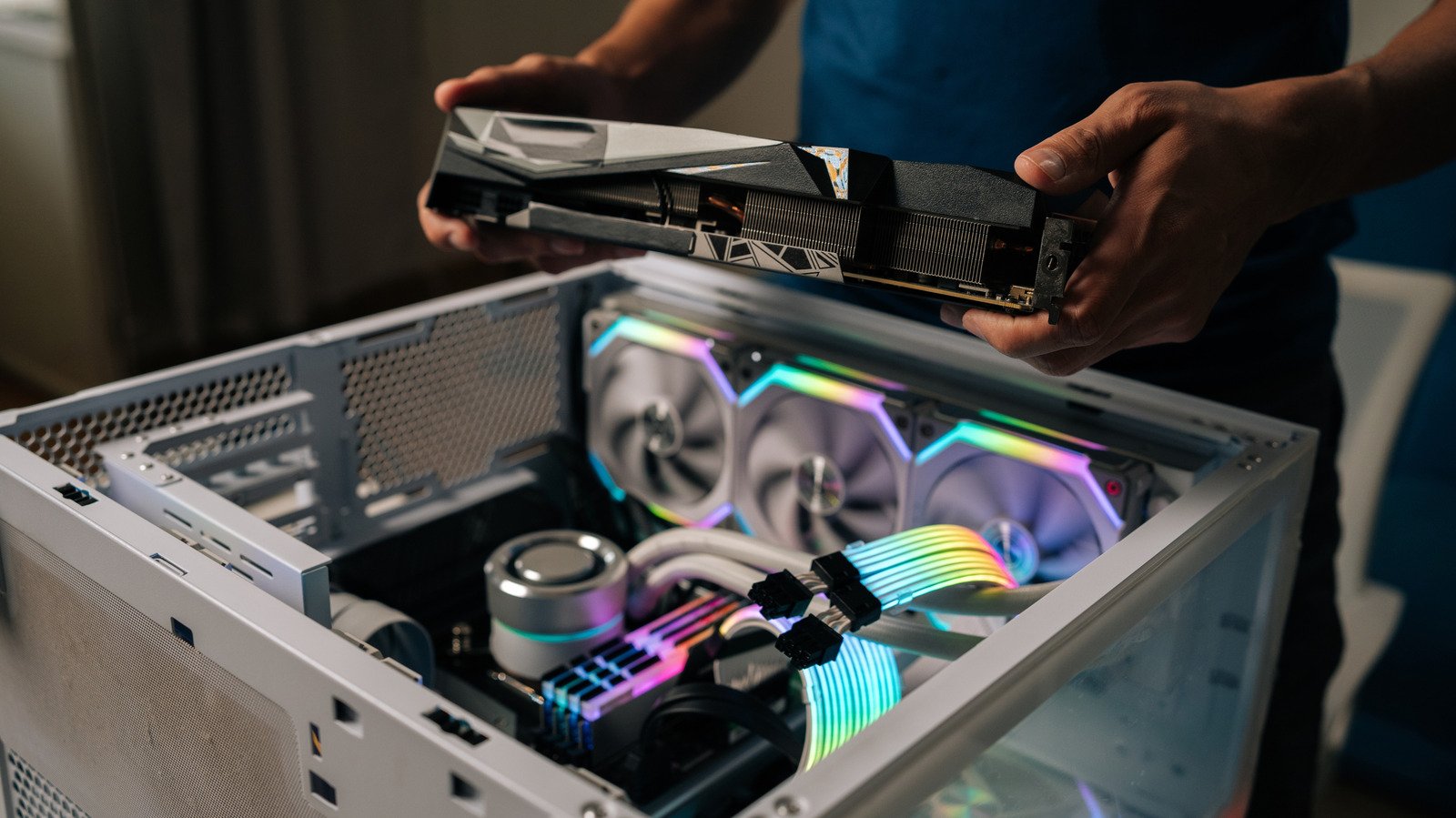
    Person holding graphics card above a PC tower on its side.
    Dikushin Dmitry/Shutterstock

    Graphics cards have become one of the most expensive components in modern gaming PCs, and it’s common for flagship models to cost hundreds and even thousands of dollars. Luckily, they tend to last a while before needing replacement. Upscaling and lower settings can stretch a GPU’s gaming life significantly, and there are other uses for old GPUs aside from gaming, too. While obsolescence isn’t a massive concern, physical longevity is a different matter entirely.

    An aging GPU can exhibit concerning symptoms like graphical anomalies, overheating, fans that don’t spin up under load, sudden crashes, visual artifacts or a combination of these problems. And with the long-running memory shortage driving up PC component prices, buying a new graphics card can be prohibitively expensive. Luckily, they are still somewhat serviceable, and you might even be able to fix one yourself without shipping it off to a repair center.

    If your current card’s problems are related to overheating, for example, you can usually bring temperatures under control by replacing the thermal paste. The same goes for fans that are either completely dead or on their last legs. Some GPU issues require professional repair, but even that can be cheaper than buying a brand new card.

    What is the lifespan of GPUs and are they worth fixing?

    Graphics cards have long warranties, with three years being the norm. Some manufacturers offer up to five years on flagship models. So before you attempt any repairs, check if the card is still covered under warranty. If it is, send it back. However, GPUs routinely outlive their warranties, and you may only encounter issues several years into ownership.

    If you suddenly notice worse performance or choppiness in games on an older GPU, check whether it’s overheating. Run a benchmarking suite like Unigine Heaven and open Windows’ Task Manager by pressing Ctrl + Shift + Esc. Switch to the Performance tab and click on GPU in the sidebar. You should see your card’s temperature readout here. If it’s exceeding 80 degrees Celsius, you have an overheating problem.

    There can be several reasons for this. First, check the card while it’s running. If one or more of the fans aren’t spinning, that’s your culprit. You can find replacement fans on eBay and AliExpress by entering your GPU make and model into the search field. If the fans are fine, then it may be down to dried-up thermal paste.

    The paste acts as the physical thermal conductor between your card’s cooler and the GPU die, and it can wear out over time. You can replace the thermal paste and fans on most cards by yourself. All you need is a screwdriver, replacement fans, some isopropyl alcohol and a tube of thermal paste. Unscrew the cooler from the graphics card, detach the electrical connectors and lift the heatsink to expose the GPU die and its old thermal paste. Wipe it off with isopropyl alcohol and apply a small amount of new paste. 

    When should you replace a problematic GPU with a new one?


    Person wearing white gloves holding a graphics card
    Vershinin89/Shutterstock

    Failed fans and dried-out thermal paste aren’t the only graphics card problems you can repair, but other issues are more situational. You can probably replace blown capacitors or failed power connectors, for example, but your best bet is to seek out independent repair shops that specialize in motherboard or board-level repairs to see whether it’s viable. Some repairs may cost more than what the card is worth, so it’s only worthwhile if the graphics card can still comfortably run the games you play. Repairing a lower-end or mid-range card from half a decade ago probably isn’t worth it.

    Graphics cards cannot always be repaired, though, especially if the fault lies with the GPU itself or the on-board memory. In that case, replacing your card is the way to go. Unfortunately, the RAMageddon is making it hard to find an affordable graphics card, but you don’t have to buy a brand-new model. You can save quite a bit of money with a pre-owned graphics card. And, thanks to buyer protection programs on online marketplaces like Jawa and eBay, it can be a relatively painless, safe process, too.

    As a rule of thumb, look for models that are one or two generations old if you want to keep the upgrade as economical as possible. Nvidia’s RTX 30 and 40 series are still recent enough to run modern games, and the same goes for AMD’s RX 6000 and 7000 series. A used GPU under $500 will be cheaper than a complex repair and certainly less painful than a brand-new card.

    Buying card Graphics Investing Repair worth
    Share. Facebook Twitter Pinterest LinkedIn Tumblr Email
    admin
    • Website

    Related Posts

    Samsung Will Reportedly Reveal Its First Humanoid Robot At CES

    November 29, 2026

    Which Amazon Kindle Models Are Good For Reading Manga And Comics?

    November 29, 2026

    How To Tell If A USB-C Port Is Damaged

    November 29, 2026
    Leave A Reply Cancel Reply

    Top Posts

    NVIDIA Is Investigating Reports That CEO Jensen Huang Was The Target Of Chinese Spy Efforts

    November 8, 202620 Views

    Mixture of Experts Explained

    November 13, 202610 Views

    Anthropic launches Claude Meetings to turn workplace discussions into plans and tasks

    November 10, 20269 Views

    Finetuning olmOCR to be a faithful OCR-Engine

    November 10, 20268 Views
    Don't Miss
    Gadgets & Smart Devices

    Samsung Will Reportedly Reveal Its First Humanoid Robot At CES

    By adminNovember 29, 20260

    The debut will follow up on the company’s recently-created robotics division. …

    Review: VisionQuest is a satisfying end to WandaVision trilogy

    November 29, 2026

    When Is It Worth Investing In A Graphics Card Repair Vs. Buying A New One?

    November 29, 2026

    Which Amazon Kindle Models Are Good For Reading Manga And Comics?

    November 29, 2026
    About Us

    Welcome to TechWave Dispatch

    At TechWave Dispatch, we bring you the latest news, insights, and developments from the ever-evolving world of technology. Our mission is to keep readers informed about the innovations shaping our digital future.

    From artificial intelligence and machine learning to cybersecurity, robotics, smart devices, and groundbreaking technologies, we cover the topics that matter in today's fast-moving tech landscape.

    Our Picks

    Samsung Will Reportedly Reveal Its First Humanoid Robot At CES

    November 29, 2026

    Review: VisionQuest is a satisfying end to WandaVision trilogy

    November 29, 2026

    When Is It Worth Investing In A Graphics Card Repair Vs. Buying A New One?

    November 29, 2026
    Most Popular

    CWE-bench v2: More coverage, quality, and transparency

    November 6, 20260 Views

    The Lawyer Holding Big Tech Accountable by ‘Beating the Tar Out of Them’ in Court

    November 6, 20260 Views

    10 ways we’re amplifying human ingenuity

    November 6, 20260 Views
    Facebook X (Twitter) Instagram Pinterest
    • Terms and Conditions
    • Privacy Policy
    • Contact Us
    • About Us
    © 2026 TechWave Dispatch. All Rights Reserved.

    Type above and press Enter to search. Press Esc to cancel.