


MusicGen is a powerful music generation model that takes in text prompt and an optional melody to output music. This blog post will guide you through generating music with MusicGen using Inference Endpoints.
Inference Endpoints allow us to write custom inference functions called custom handlers. These are particularly useful when a model is not supported out-of-the-box by the transformers high-level abstraction pipeline.
transformers pipelines offer powerful abstractions to run inference with transformers-based models. Inference Endpoints leverage the pipeline API to easily deploy models with only a few clicks. However, Inference Endpoints can also be used to deploy models that don’t have a pipeline, or even non-transformer models! This is achieved using a custom inference function that we call a custom handler.
Let’s demonstrate this process using MusicGen as an example. To implement a custom handler function for MusicGen and deploy it, we will need to:
- Duplicate the MusicGen repository we want to serve,
- Write a custom handler in
handler.pyand any dependencies inrequirements.txtand add them to the duplicated repository, - Create Inference Endpoint for that repository.
Or simply use the final result and deploy our custom MusicGen model repo, where we just followed the steps above 🙂
Let’s go!
First, we will duplicate the facebook/musicgen-large repository to our own profile using repository duplicator.
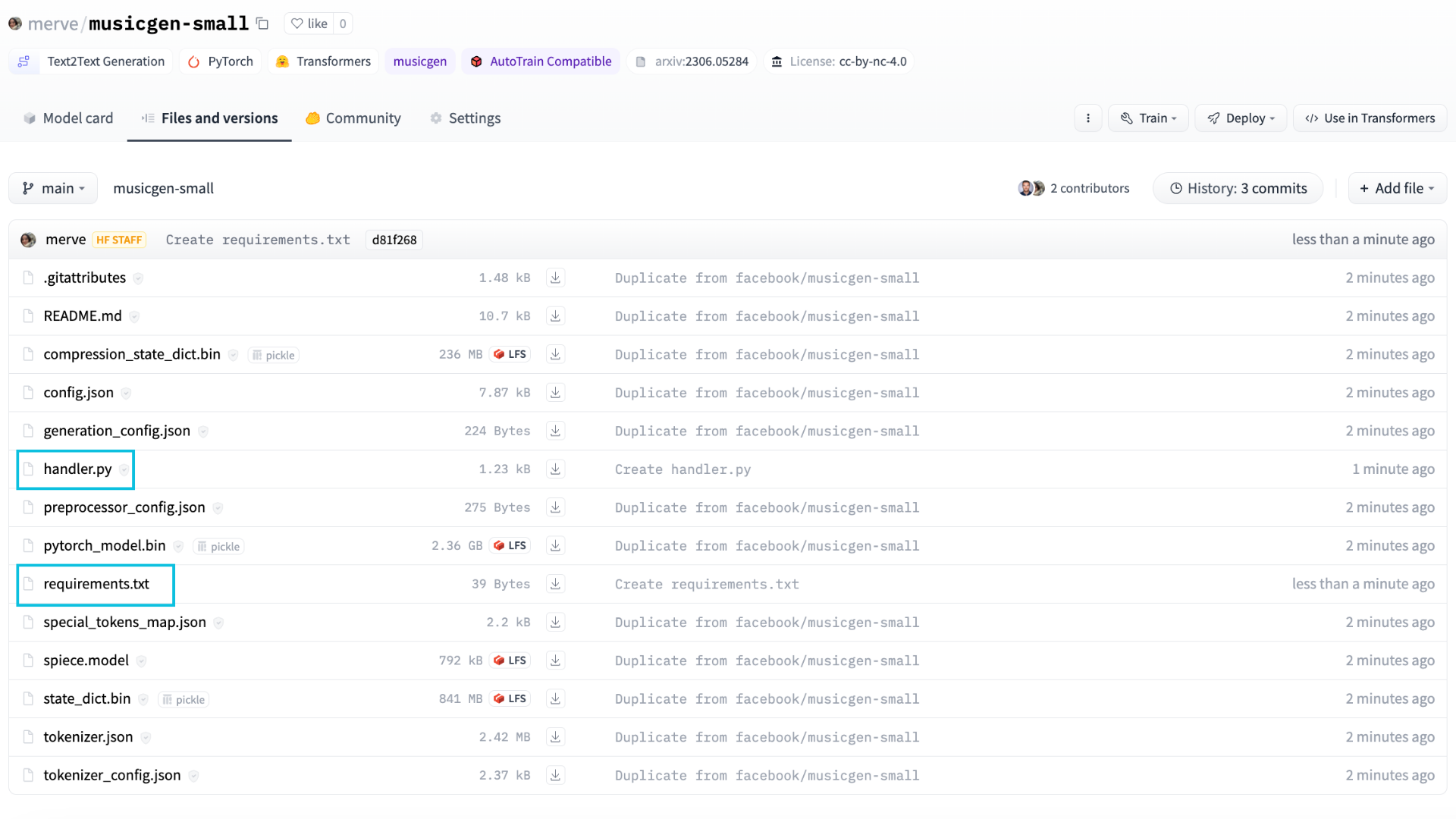
Then, we will add handler.py and requirements.txt to the duplicated repository.
First, let’s take a look at how to run inference with MusicGen.
from transformers import AutoProcessor, MusicgenForConditionalGeneration

processor = AutoProcessor.from_pretrained("facebook/musicgen-large")
model = MusicgenForConditionalGeneration.from_pretrained("facebook/musicgen-large")

inputs = processor(
    text=["80s pop track with bassy drums and synth"],
    padding=True,
    return_tensors="pt",
)
audio_values = model.generate(**inputs, do_sample=True, guidance_scale=3, max_new_tokens=256)
Let’s hear what it sounds like:
Optionally, you can also condition the output with an audio snippet i.e. generate a complimentary snippet which combines the text generated audio with an input audio.
from transformers import AutoProcessor, MusicgenForConditionalGeneration
from datasets import load_dataset

processor = AutoProcessor.from_pretrained("facebook/musicgen-large")
model = MusicgenForConditionalGeneration.from_pretrained("facebook/musicgen-large")

dataset = load_dataset("sanchit-gandhi/gtzan", split="train", streaming=True)
sample = next(iter(dataset))["audio"]


sample["array"] = sample["array"][: len(sample["array"]) // 2]

inputs = processor(
    audio=sample["array"],
    sampling_rate=sample["sampling_rate"],
    text=["80s blues track with groovy saxophone"],
    padding=True,
    return_tensors="pt",
)
audio_values = model.generate(**inputs, do_sample=True, guidance_scale=3, max_new_tokens=256)
Let’s give it a listen:
In both the cases the model.generate method produces the audio and follows the same principles as text generation. You can read more about it in our how to generate blog post.
Alright! With the basic usage outlined above, let’s deploy MusicGen for fun and profit!
First, we’ll define a custom handler in handler.py. We can use the Inference Endpoints template and override the __init__ and __call__ methods with our custom inference code. __init__ will initialize the model and the processor, and __call__ will take the data and return the generated music. You can find the modified EndpointHandler class below. 👇
from typing import Dict, List, Any
from transformers import AutoProcessor, MusicgenForConditionalGeneration
import torch

class EndpointHandler:
    def __init__(self, path=""):

        self.processor = AutoProcessor.from_pretrained(path)
        self.model = MusicgenForConditionalGeneration.from_pretrained(path, torch_dtype=torch.float16).to("cuda")

    def __call__(self, data: Dict[str, Any]) -> Dict[str, str]:
        """
        Args:
            data (:dict:):
                The payload with the text prompt and generation parameters.
        """

        inputs = data.pop("inputs", data)
        parameters = data.pop("parameters", None)


        inputs = self.processor(
            text=[inputs],
            padding=True,
            return_tensors="pt",).to("cuda")


        if parameters is not None:
            with torch.autocast("cuda"):
                outputs = self.model.generate(**inputs, **parameters)
        else:
            with torch.autocast("cuda"):
                outputs = self.model.generate(**inputs,)


        prediction = outputs[0].cpu().numpy().tolist()

        return [{"generated_audio": prediction}]
To keep things simple, in this example we are only generating audio from text, and not conditioning it with a melody.
Next, we will create a requirements.txt file containing all the dependencies we need to run our inference code:
transformers==4.31.0
accelerate>=0.20.3
Uploading these two files to our repository will suffice to serve the model.
We can now create the Inference Endpoint. Head to the Inference Endpoints page and click Deploy your first model. In the “Model repository” field, enter the identifier of your duplicated repository. Then select the hardware you want and create the endpoint. Any instance with a minimum of 16 GB RAM should work for musicgen-large.

After creating the endpoint, it will be automatically launched and ready to receive requests.
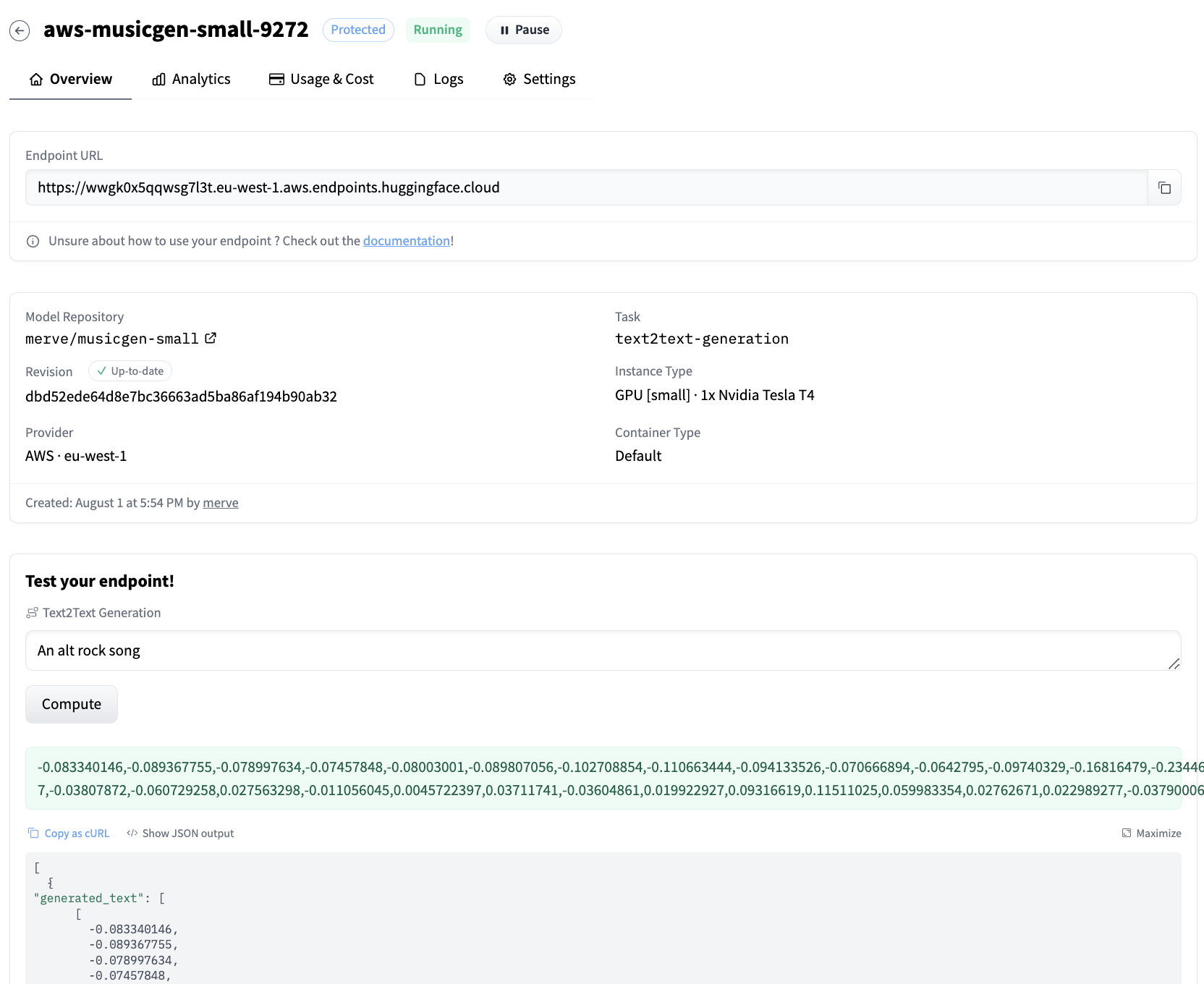
We can query the endpoint with the below snippet.
curl URL_OF_ENDPOINT \
-X POST \
-d '{"inputs":"happy folk song, cheerful and lively"}' \
-H "Authorization: {YOUR_TOKEN_HERE}" \
-H "Content-Type: application/json"
We can see the following waveform sequence as output.
[{"generated_audio":[[-0.024490159,-0.03154691,-0.0079551935,-0.003828604, ...]]}]
Here’s how it sounds like:
You can also hit the endpoint with huggingface-hub Python library’s InferenceClient class.
from huggingface_hub import InferenceClient

client = InferenceClient(model = URL_OF_ENDPOINT)
response = client.post(json={"inputs":"an alt rock song"})


output = eval(response)[0]["generated_audio"]
You can convert the generated sequence to audio however you want. You can use scipy in Python to write it to a .wav file.
import scipy
import numpy as np


scipy.io.wavfile.write("musicgen_out.wav", rate=32000, data=np.array(output[0]))
And voila!
Play with the demo below to try the endpoint out.
Conclusion
In this blog post, we have shown how to deploy MusicGen using Inference Endpoints with a custom inference handler. The same technique can be used for any other model in the Hub that does not have an associated pipeline. All you have to do is override the Endpoint Handler class in handler.py, and add requirements.txt to reflect your project’s dependencies.
