Close Menu
techwavedispatch.com

    Subscribe to Updates

    Get the latest creative news from FooBar about art, design and business.

    What's Hot

    You Can Reuse Your Old GoPro In A Couple Different Ways

    November 22, 2026

    Here’s How To Properly Test Your USB Speed

    November 22, 2026

    Fixing This Annoying One UI Feature Is Easy, But There’s A Catch

    November 22, 2026
    Facebook X (Twitter) Instagram
    Trending
    • You Can Reuse Your Old GoPro In A Couple Different Ways
    • Here’s How To Properly Test Your USB Speed
    • Fixing This Annoying One UI Feature Is Easy, But There’s A Catch
    • 4 Random Apps You Might Not Realize Work With Android Auto
    • How Much Storage Does Apple Intelligence Use On Your iPhone?
    • The Most Recognizable Spam Email Type Is Way Older Than The Internet
    • Protesters storm Meta offices in India
    • 4 iPad Pro Alternatives For Those Looking To Ditch Apple
    Facebook X (Twitter) Instagram
    techwavedispatch.com
    Subscribe
    Sunday, November 22
    • Home
    • AI Tools & Software
    • Machine Learning
    • Generative AI
    • Robotics & Automation
    • Future Tech & Hardware
    • AI in Business
    • Ethics & Regulations
    • More
      • Gadgets & Smart Devices
      • Cybersecurity & AI
      • Tech Breakthroughs
    techwavedispatch.com
    Home»Gadgets & Smart Devices»Fixing This Annoying One UI Feature Is Easy, But There’s A Catch
    Gadgets & Smart Devices

    Fixing This Annoying One UI Feature Is Easy, But There’s A Catch

    adminBy adminNovember 22, 2026No Comments3 Mins Read
    Facebook Twitter Pinterest LinkedIn Tumblr Email
    Fixing This Annoying One UI Feature Is Easy, But There’s A Catch
    Share
    Facebook Twitter LinkedIn Pinterest Email

    Moving the Now bar back down to the bottom of your lock screen is easy.


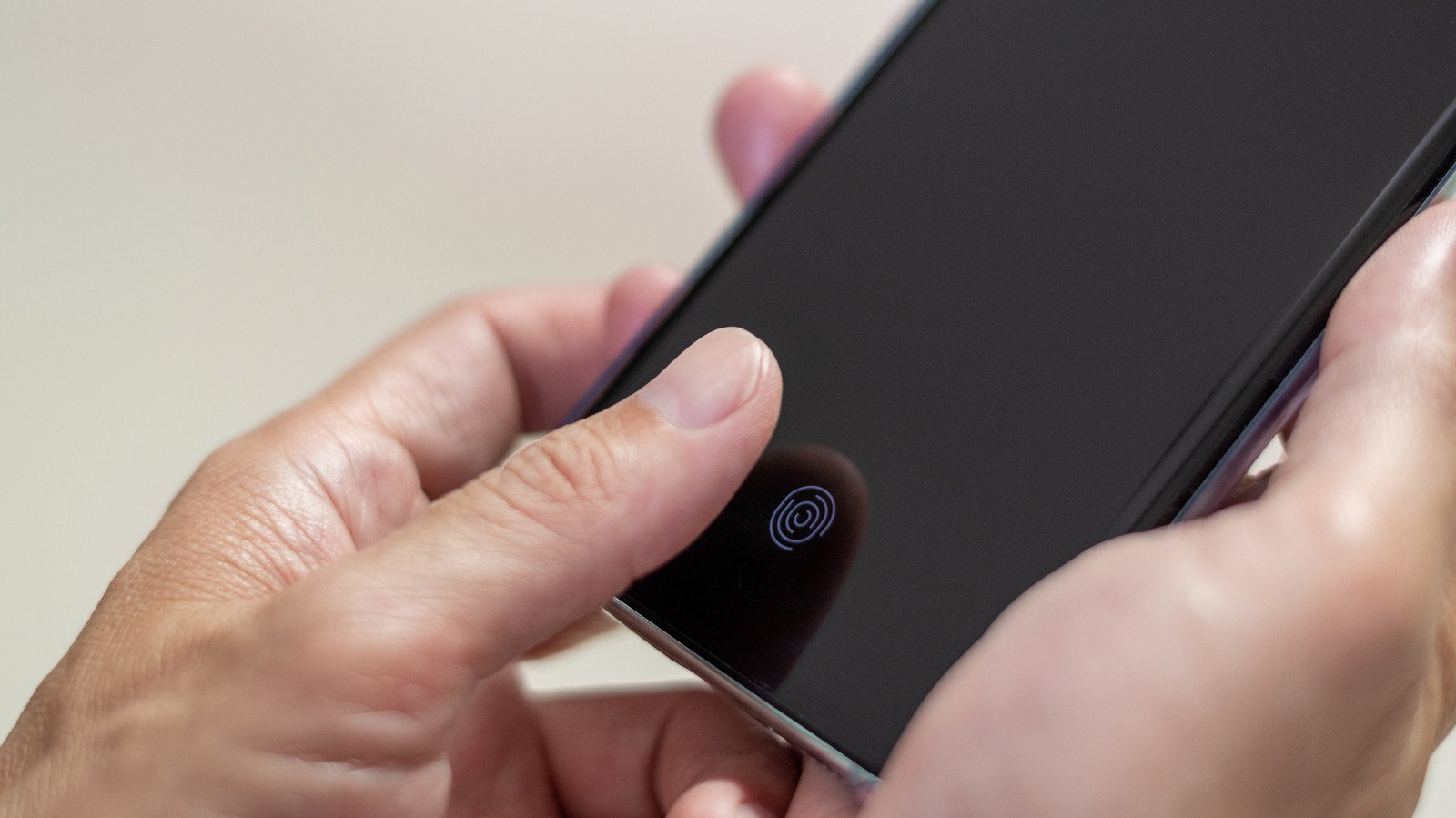
    Closeup of person activating phone fingerprint reader with thumb.
    BlurryMe/Shutterstock

    One UI is packed with features that set Samsung’s phones apart from any other Android phones — for better or worse, depending on who you ask. Even if you don’t know it by name, you’ve probably used the Now bar if you have a Samsung phone. It’s the little capsule that shows up on the lock screen, showing timers, notes, news updates or media player controls based on which apps you’ve allowed to appear there.

    The Now bar is nothing new. It was introduced in One UI 7 and has been tweaked in updates since then. But if you’ve switched phones or adjusted your settings, you may notice that the Now bar hovers around the middle third of your screen instead of at the very bottom where it does by default on some phones. In some lock screen setups, the higher location of the Now bar can cover other widgets, making them harder to read or tap. Many users also just prefer the look of the Now bar sitting at the very bottom. There are a couple of ways to make sure your Now bar stays along the phone’s bottom edge, but they both require sacrificing one of your phone’s lock screen features.

    One UI’s Now bar and fingerprint reader don’t mix

    Fingerprint readers can appear in different places on your phone, depending on the model. The problem arises in phones with a fingerprint reader at the bottom of the screen. While the Now bar is usually along the bottom edge of the phone’s screen, that overlaps with where the fingerprint reader sits. While you can typically customize your phone’s look with One UI, the operating system automatically pushes the Now bar up above the fingerprint reader when both are turned on so they don’t overlap. Unfortunately, there’s no way to reposition either feature.

    To move your Now bar back to the bottom of the screen, you need to turn your fingerprint reader off entirely. To do that, head to the Settings app and tap Security and privacy, then Screen lock and biometrics. Here you can delete any fingerprints you have stored and remove the fingerprint reader as your unlock option. If you don’t want to leave your phone unlocked, there are other options, like setting a password or face recognition, that will still help keep your phone secure but won’t interfere with the Now bar.

    If you can’t go without the fingerprint reader and don’t use lock screen notifications much, you may just want to turn the Now bar off. Back in the Settings app, tap Lock screen, then Now bar. Here you can toggle which apps have access to the Now bar individually. If you turn them all off, you’ll never see the Now bar. However, the Now bar is the only way to keep media controls on the lock screen, so you may want to keep the media player switched on while turning everything else off. That way, you’ll still see the media controls when you need them.

    Annoying catch Easy feature Fixing
    Share. Facebook Twitter Pinterest LinkedIn Tumblr Email
    admin
    • Website

    Related Posts

    You Can Reuse Your Old GoPro In A Couple Different Ways

    November 22, 2026

    Here’s How To Properly Test Your USB Speed

    November 22, 2026

    4 Random Apps You Might Not Realize Work With Android Auto

    November 22, 2026
    Leave A Reply Cancel Reply

    Top Posts

    NVIDIA Is Investigating Reports That CEO Jensen Huang Was The Target Of Chinese Spy Efforts

    November 8, 202619 Views

    ADIndex: Layer-Adaptive Sparse Attention Indexing via Group-Level Distillation

    November 11, 20266 Views

    Anthropic releases new Mythos and Fable models amid RSI concerns

    November 9, 20266 Views

    If AGI is so close, why is everyone leaving? The neolabs and their bets

    November 6, 20266 Views
    Don't Miss
    Gadgets & Smart Devices

    You Can Reuse Your Old GoPro In A Couple Different Ways

    By adminNovember 22, 20260

    Turn your old GoPro can be turned into a dash cam or webcam with little…

    Here’s How To Properly Test Your USB Speed

    November 22, 2026

    Fixing This Annoying One UI Feature Is Easy, But There’s A Catch

    November 22, 2026

    4 Random Apps You Might Not Realize Work With Android Auto

    November 22, 2026
    About Us

    Welcome to TechWave Dispatch

    At TechWave Dispatch, we bring you the latest news, insights, and developments from the ever-evolving world of technology. Our mission is to keep readers informed about the innovations shaping our digital future.

    From artificial intelligence and machine learning to cybersecurity, robotics, smart devices, and groundbreaking technologies, we cover the topics that matter in today's fast-moving tech landscape.

    Our Picks

    You Can Reuse Your Old GoPro In A Couple Different Ways

    November 22, 2026

    Here’s How To Properly Test Your USB Speed

    November 22, 2026

    Fixing This Annoying One UI Feature Is Easy, But There’s A Catch

    November 22, 2026
    Most Popular

    Egyptian and Nigerian English join the Open ASR Leaderboard

    November 6, 20260 Views

    Ads in Chatbots Have Arrived. Here’s What’s Working—and What’s Not

    November 6, 20260 Views

    The General Purpose Pendulum – O’Reilly

    November 6, 20260 Views
    Facebook X (Twitter) Instagram Pinterest
    • Terms and Conditions
    • Privacy Policy
    • Contact Us
    • About Us
    © 2026 TechWave Dispatch. All Rights Reserved.

    Type above and press Enter to search. Press Esc to cancel.