

It is well-known that a sentiment analysis model determines whether a text is positive, negative, or neutral. However, this process typically requires access to unencrypted text, which can pose privacy concerns.
Homomorphic encryption is a type of encryption that allows for computation on encrypted data without needing to decrypt it first. This makes it well-suited for applications where user’s personal and potentially sensitive data is at risk (e.g. sentiment analysis of private messages).
This blog post uses the Concrete-ML library, allowing data scientists to use machine learning models in fully homomorphic encryption (FHE) settings without any prior knowledge of cryptography. We provide a practical tutorial on how to use the library to build a sentiment analysis model on encrypted data.
The post covers:
- transformers
- how to use transformers with XGBoost to perform sentiment analysis
- how to do the training
- how to use Concrete-ML to turn predictions into predictions over encrypted data
- how to deploy to the cloud using a client/server protocol
Last but not least, we’ll finish with a complete demo over Hugging Face Spaces to show this functionality in action.
Setup the environment
First make sure your pip and setuptools are up to date by running:
pip install -U pip setuptools
Now we can install all the required libraries for the this blog with the following command.
pip install concrete-ml transformers datasets
Using a public dataset
The dataset we use in this notebook can be found here.
To represent the text for sentiment analysis, we chose to use a transformer hidden representation as it yields high accuracy for the final model in a very efficient way. For a comparison of this representation set against a more common procedure like the TF-IDF approach, please see this full notebook.
We can start by opening the dataset and visualize some statistics.
from datasets import load_datasets
train = load_dataset("osanseviero/twitter-airline-sentiment")["train"].to_pandas()
text_X = train['text']
y = train['airline_sentiment']
y = y.replace(['negative', 'neutral', 'positive'], [0, 1, 2])
pos_ratio = y.value_counts()[2] / y.value_counts().sum()
neg_ratio = y.value_counts()[0] / y.value_counts().sum()
neutral_ratio = y.value_counts()[1] / y.value_counts().sum()
print(f'Proportion of positive examples: {round(pos_ratio * 100, 2)}%')
print(f'Proportion of negative examples: {round(neg_ratio * 100, 2)}%')
print(f'Proportion of neutral examples: {round(neutral_ratio * 100, 2)}%')
The output, then, looks like this:
Proportion of positive examples: 16.14%
Proportion of negative examples: 62.69%
Proportion of neutral examples: 21.17%
The ratio of positive and neutral examples is rather similar, though we have significantly more negative examples. Let’s keep this in mind to select the final evaluation metric.
Now we can split our dataset into training and test sets. We will use a seed for this code to ensure it is perfectly reproducible.
from sklearn.model_selection import train_test_split
text_X_train, text_X_test, y_train, y_test = train_test_split(text_X, y,
    test_size=0.1, random_state=42)
Text representation using a transformer
Transformers are neural networks often trained to predict the next words to appear in a text (this task is commonly called self-supervised learning). They can also be fine-tuned on some specific subtasks such that they specialize and get better results on a given problem.
They are powerful tools for all kinds of Natural Language Processing tasks. In fact, we can leverage their representation for any text and feed it to a more FHE-friendly machine-learning model for classification. In this notebook, we will use XGBoost.
We start by importing the requirements for transformers. Here, we use the popular library from Hugging Face to get a transformer quickly.
The model we have chosen is a BERT transformer, fine-tuned on the Stanford Sentiment Treebank dataset.
import torch
from transformers import AutoModelForSequenceClassification, AutoTokenizer
device = "cuda:0" if torch.cuda.is_available() else "cpu"

tokenizer = AutoTokenizer.from_pretrained("cardiffnlp/twitter-roberta-base-sentiment-latest")


transformer_model = AutoModelForSequenceClassification.from_pretrained(
   "cardiffnlp/twitter-roberta-base-sentiment-latest"
)
This should download the model, which is now ready to be used.
Using the hidden representation for some text can be tricky at first, mainly because we could tackle this with many different approaches. Below is the approach we chose.
First, we tokenize the text. Tokenizing means splitting the text into tokens (a sequence of specific characters that can also be words) and replacing each with a number. Then, we send the tokenized text to the transformer model, which outputs a hidden representation (output of the self attention layers which are often used as input to the classification layers) for each word. Finally, we average the representations for each word to get a text-level representation.
The result is a matrix of shape (number of examples, hidden size). The hidden size is the number of dimensions in the hidden representation. For BERT, the hidden size is 768. The hidden representation is a vector of numbers that represents the text that can be used for many different tasks. In this case, we will use it for classification with XGBoost afterwards.
import numpy as np
import tqdm


def text_to_tensor(
   list_text_X_train: list,
   transformer_model: AutoModelForSequenceClassification,
   tokenizer: AutoTokenizer,
   device: str,
) -> np.ndarray:

   tokenized_text_X_train_split = []
   tokenized_text_X_train_split = [
       tokenizer.encode(text_x_train, return_tensors="pt")
       for text_x_train in list_text_X_train
   ]


   transformer_model = transformer_model.to(device)
   output_hidden_states_list = [None] * len(tokenized_text_X_train_split)

   for i, tokenized_x in enumerate(tqdm.tqdm(tokenized_text_X_train_split)):


       output_hidden_states = transformer_model(tokenized_x.to(device), output_hidden_states=True)[
           1
       ][-1]

       output_hidden_states = output_hidden_states.mean(dim=1)
       output_hidden_states = output_hidden_states.detach().cpu().numpy()
       output_hidden_states_list[i] = output_hidden_states

   return np.concatenate(output_hidden_states_list, axis=0)
list_text_X_train = text_X_train.tolist()
list_text_X_test = text_X_test.tolist()

X_train_transformer = text_to_tensor(list_text_X_train, transformer_model, tokenizer, device)
X_test_transformer = text_to_tensor(list_text_X_test, transformer_model, tokenizer, device)
This transformation of the text (text to transformer representation) would need to be executed on the client machine as the encryption is done over the transformer representation.
Classifying with XGBoost
Now that we have our training and test sets properly built to train a classifier, next comes the training of our FHE model. Here it will be very straightforward, using a hyper-parameter tuning tool such as GridSearch from scikit-learn.
from concrete.ml.sklearn import XGBClassifier
from sklearn.model_selection import GridSearchCV

model = XGBClassifier()


parameters = {
    "n_bits": [2, 3],
    "max_depth": [1],
    "n_estimators": [10, 30, 50],
    "n_jobs": [-1],
}


grid_search = GridSearchCV(model, parameters, cv=5, n_jobs=1, scoring="accuracy")
grid_search.fit(X_train_transformer, y_train)


print(f"Best score: {grid_search.best_score_}")


print(f"Best parameters: {grid_search.best_params_}")


best_model = grid_search.best_estimator_
The output is as follows:
Best score: 0.8378111718275654
Best parameters: {'max_depth': 1, 'n_bits': 3, 'n_estimators': 50, 'n_jobs': -1}
Now, let’s see how the model performs on the test set.
from sklearn.metrics import ConfusionMatrixDisplay

y_pred = best_model.predict(X_test_transformer)
y_proba = best_model.predict_proba(X_test_transformer)


matrix = confusion_matrix(y_test, y_pred)
ConfusionMatrixDisplay(matrix).plot()


accuracy_transformer_xgboost = np.mean(y_pred == y_test)
print(f"Accuracy: {accuracy_transformer_xgboost:.4f}")
With the following output:
Accuracy: 0.8504
Predicting over encrypted data
Now let’s predict over encrypted text. The idea here is that we will encrypt the representation given by the transformer rather than the raw text itself. In Concrete-ML, you can do this very quickly by setting the parameter execute_in_fhe=True in the predict function. This is just a developer feature (mainly used to check the running time of the FHE model). We will see how we can make this work in a deployment setting a bit further down.
import time


start = time.perf_counter()
best_model.compile(X_train_transformer)
end = time.perf_counter()
print(f"Compilation time: {end - start:.4f} seconds")


tested_tweet = ["AirFrance is awesome, almost as much as Zama!"]
X_tested_tweet = text_to_tensor(tested_tweet, transformer_model, tokenizer, device)
clear_proba = best_model.predict_proba(X_tested_tweet)


start = time.perf_counter()
decrypted_proba = best_model.predict_proba(X_tested_tweet, execute_in_fhe=True)
end = time.perf_counter()
fhe_exec_time = end - start
print(f"FHE inference time: {fhe_exec_time:.4f} seconds")
The output becomes:
Compilation time: 9.3354 seconds
FHE inference time: 4.4085 seconds
A check that the FHE predictions are the same as the clear predictions is also necessary.
print(f"Probabilities from the FHE inference: {decrypted_proba}")
print(f"Probabilities from the clear model: {clear_proba}")
This output reads:
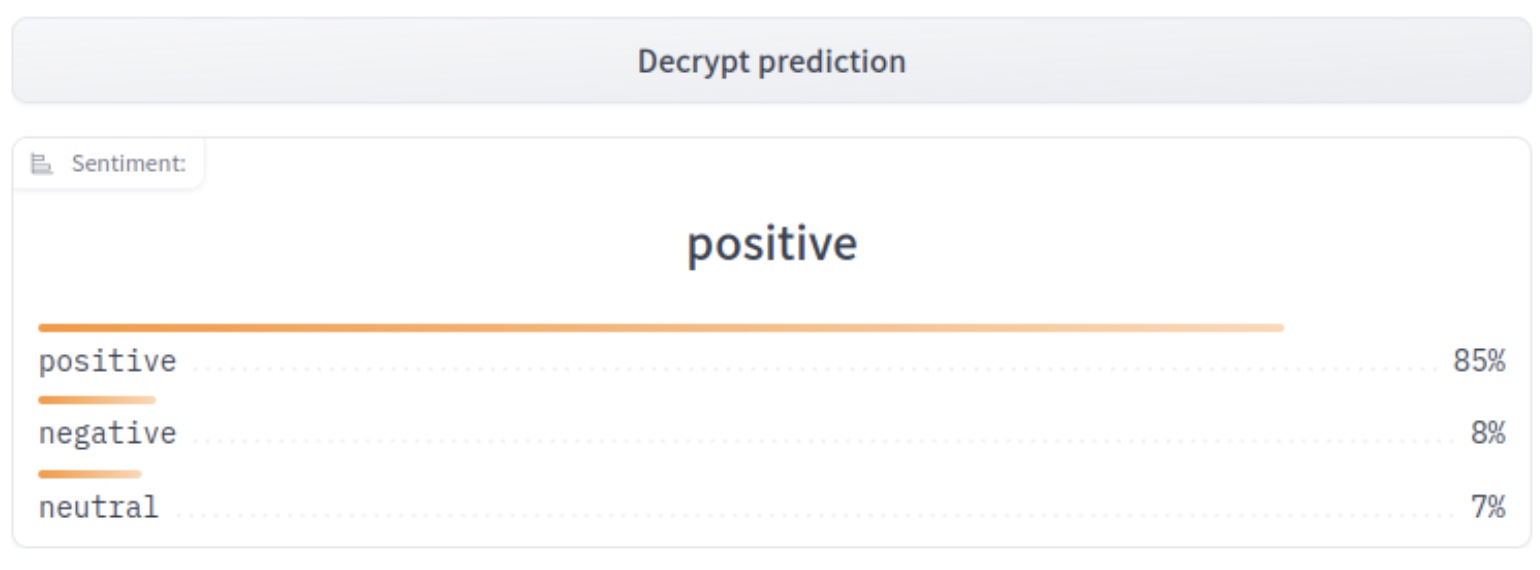
Probabilities from the FHE inference: [[0.08434131 0.05571389 0.8599448 ]]
Probabilities from the clear model: [[0.08434131 0.05571389 0.8599448 ]]
Deployment
At this point, our model is fully trained and compiled, ready to be deployed. In Concrete-ML, you can use a deployment API to do this easily:
from concrete.ml.deployment import FHEModelDev
fhe_api = FHEModelDev("sentiment_fhe_model", best_model)
fhe_api.save()
These few lines are enough to export all the files needed for both the client and the server. You can check out the notebook explaining this deployment API in detail here.
Full example in a Hugging Face Space
You can also have a look at the final application on Hugging Face Space. The client app was developed with Gradio while the server runs with Uvicorn and was developed with FastAPI.
The process is as follows:
- User generates a new private/public key
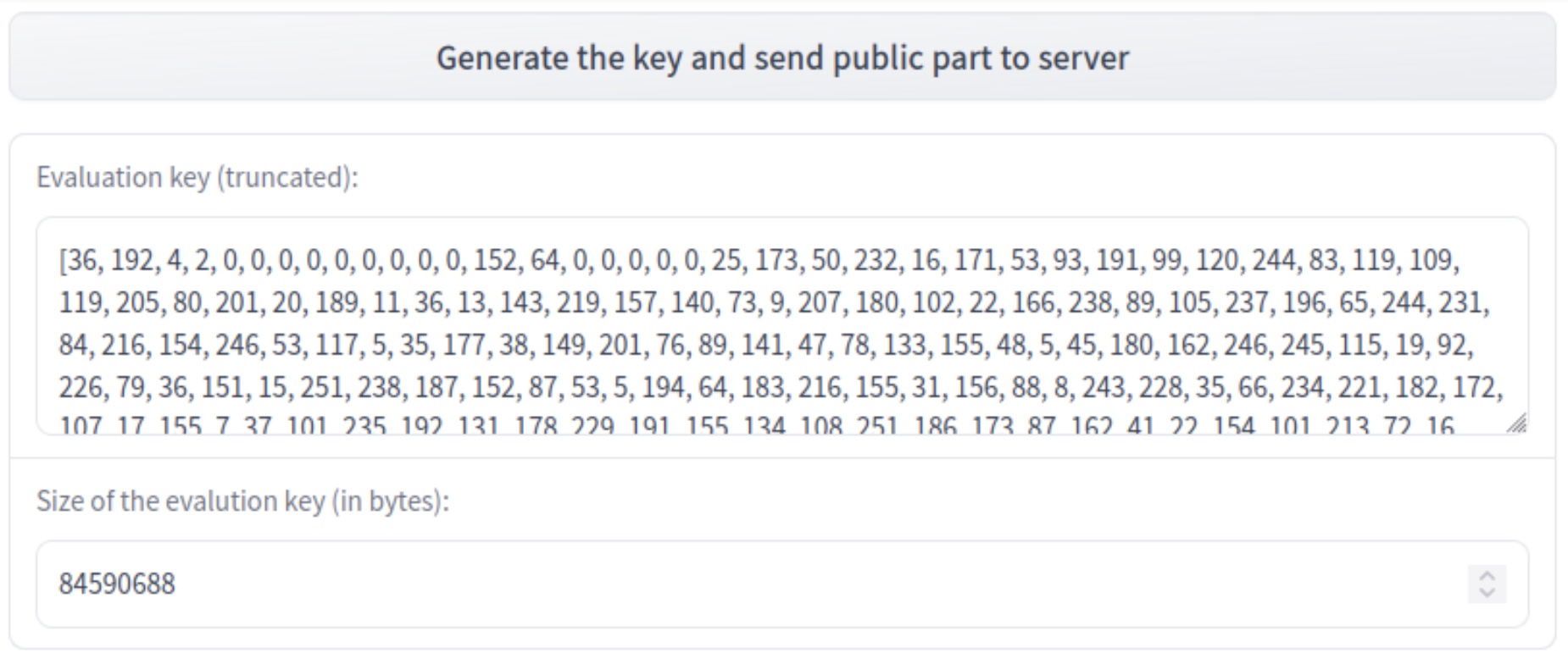
- User types a message that will be encoded, quantized, and encrypted

- Server receives the encrypted data and starts the prediction over encrypted data, using the public evaluation key
- Server sends back the encrypted predictions and the client can decrypt them using his private key
Conclusion
We have presented a way to leverage the power of transformers where the representation is then used to:
- train a machine learning model to classify tweets, and
- predict over encrypted data using this model with FHE.
The final model (Transformer representation + XGboost) has a final accuracy of 85%, which is above the transformer itself with 80% accuracy (please see this notebook for the comparisons).
The FHE execution time per example is 4.4 seconds on a 16 cores cpu.
The files for deployment are used for a sentiment analysis app that allows a client to request sentiment analysis predictions from a server while keeping its data encrypted all along the chain of communication.
Concrete-ML (Don’t forget to star us on Github ⭐️💛) allows straightforward ML model building and conversion to the FHE equivalent to be able to predict over encrypted data.
Hope you enjoyed this post and let us know your thoughts/feedback!
And special thanks to Abubakar Abid for his previous advice on how to build our first Hugging Face Space!
