Close Menu
techwavedispatch.com

    Subscribe to Updates

    Get the latest creative news from FooBar about art, design and business.

    What's Hot

    How To Clear The Cache On Microsoft Edge

    November 23, 2026

    [2611.27811] Redesigning Neural Networks to Not be Confidently Wrong even to Strong Adversarial Attacks

    November 23, 2026

    F1 in Las Vegas: You’ve never seen an F1 race like this before

    November 23, 2026
    Facebook X (Twitter) Instagram
    Trending
    • How To Clear The Cache On Microsoft Edge
    • [2611.27811] Redesigning Neural Networks to Not be Confidently Wrong even to Strong Adversarial Attacks
    • F1 in Las Vegas: You’ve never seen an F1 race like this before
    • US spies tracked Nvidia scandal figure’s ties to Chinese intelligence for over a year
    • Toward a digital twin of the ICU patient: Forecasting and treatment response in a generative event model
    • CanopyFormer: Attention-Guided SegFormer for Explainable Forest Cover Segmentation
    • The Download: AI’s judgment problem and carbon removal’s crop threat
    • Ruby: State-of-the-Art Potency Prediction across Discovery Regimes Using Learned Structural Representations
    Facebook X (Twitter) Instagram
    techwavedispatch.com
    Subscribe
    Monday, November 23
    • Home
    • AI Tools & Software
    • Machine Learning
    • Generative AI
    • Robotics & Automation
    • Future Tech & Hardware
    • AI in Business
    • Ethics & Regulations
    • More
      • Gadgets & Smart Devices
      • Cybersecurity & AI
      • Tech Breakthroughs
    techwavedispatch.com
    Home»Gadgets & Smart Devices»Think Twice Before Using A Webcam Cover On Your MacBook
    Gadgets & Smart Devices

    Think Twice Before Using A Webcam Cover On Your MacBook

    adminBy adminNovember 9, 2026No Comments4 Mins Read
    Facebook Twitter Pinterest LinkedIn Tumblr Email
    Think Twice Before Using A Webcam Cover On Your MacBook
    Share
    Facebook Twitter LinkedIn Pinterest Email

    Webcam covers can help protect your privacy, but they might also end up damaging your MacBook’s screen.


    A hand using a small cleaning cloth near a MacBook's webcam.
    Sergeyklopotov/Getty Images

    Pretty much every modern laptop comes with a built-in webcam, which is also true for MacBooks. And while macOS has privacy features to prevent others from spying through your webcam, some people opt for cheap webcam covers to completely block the lens. 

    The reasoning behind this hasn’t changed much since our 2016 discussion on whether covering a laptop’s camera is a wise move or paranoia. Yes, covering the lens can protect you from being spied on, but that small piece of plastic can also end up damaging your display.

    This isn’t our assumption — it comes from a recommendation by Apple. The company claims that closing the lid of a MacBook with a camera cover installed can damage the screen, since the gap between the display and the keyboard was designed with millimeter precision to ensure the lid closes properly. Anything you add between these two can put extra pressure on the components, resulting in cracks in the glass and display. Apple also notes that residue left from attaching and removing webcam covers can prevent other features that use the camera sensors, like automatic brightness, from working properly. 

    Why a webcam cover can crack your MacBook display


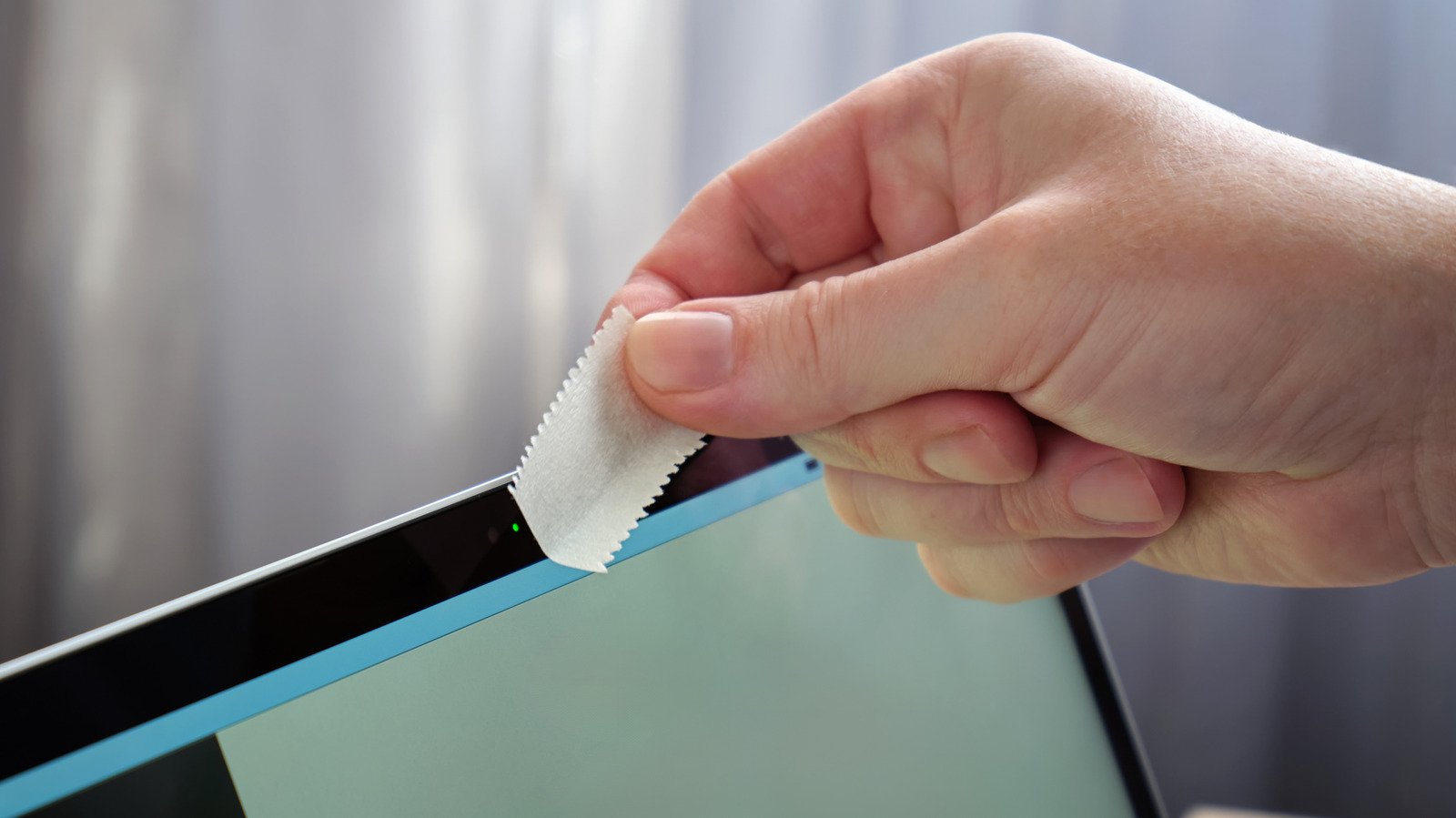
    Hands peeling off a sticker to cover a MacBook's webcam.
    Михаил Руденко/Getty Images

    When you close the lid on your MacBook (whether it’s a Neo, Air or Pro) the screen rests on top of the keyboard and palm rest. There’s no room for anything else — the glass can even occasionally rub against the keyboard, leaving small imprint marks on the glass. This usually happens when you close the lid a little too hard or put pressure on it, like when your Mac is in a backpack with other items on top of it. 

    Apple places a thin rubber strip around the lid to better distribute pressure when the MacBook is closed. However, when you put something like a webcam cover on it, the pressure from the lid ends up concentrating on that small spot.

    Although there’s no guarantee that something bad will happen, this difference in pressure can result in permanent marks, cracks or even the display failing to turn on at all. The latest MacBooks make this even more complicated, since the camera is located in the notch area at the top of the screen. The bezels around this are so thin that there’s almost no frame left to attach a webcam cover. 

    If you really have to cover the webcam on your MacBook, Apple recommends using covers that are as thin as a sheet of paper (about 0.1mm). Anything thicker than that could damage your MacBook’s screen. It’s also worth noting that damage caused by these webcam covers isn’t covered under warranty, so you’ll have to pay for the repair if anything happens.

    Safer ways to keep your MacBook camera private


    The green light that turns on next to a MacBook's webcam when it's in use.
    Filipe Espósito for Engadget

    Thankfully, most people don’t need a physical cover for their webcam. Almost every MacBook has a green indicator next to the camera that lights up whenever it’s in use. This light is inextricably tied to the webcam, so the camera cannot run without also triggering the light. For the MacBook Neo, which doesn’t have a built-in LED indicator, macOS will display a green dot at the top-right that overlays everything else on the screen. Also, apps are required to ask for permission to use the camera on your Mac. If you see that light when you’re not on a call or taking a photo, something might be wrong.

    In case you’ve noticed the webcam indicator light recently, or if you want to review your privacy settings, open System Settings, go to Privacy & Security and click Camera. Here, you’ll see all the apps you’ve granted webcam access to and can turn off the ones that shouldn’t be allowed to use the camera. When an app is turned off, it cannot access the webcam until you change the setting again. You can also click the green camera icon that appears in the menu bar to see which app is currently using the webcam.

    If your workplace requires you to have a webcam cover — or if you still want to use one — be sure to follow Apple’s recommendations. It’s also a good idea to remove the cover before closing your MacBook’s lid. Our list of great accessories to buy for your MacBook includes a super-thin webcam cover.

    Cover MacBook Webcam
    Share. Facebook Twitter Pinterest LinkedIn Tumblr Email
    admin
    • Website

    Related Posts

    How To Clear The Cache On Microsoft Edge

    November 23, 2026

    CanopyFormer: Attention-Guided SegFormer for Explainable Forest Cover Segmentation

    November 23, 2026

    40 Gifts Under $100 That Will Delight Any Tech Enthusiast (2026)

    November 23, 2026
    Leave A Reply Cancel Reply

    Top Posts

    NVIDIA Is Investigating Reports That CEO Jensen Huang Was The Target Of Chinese Spy Efforts

    November 8, 202619 Views

    ADIndex: Layer-Adaptive Sparse Attention Indexing via Group-Level Distillation

    November 11, 20266 Views

    Anthropic releases new Mythos and Fable models amid RSI concerns

    November 9, 20266 Views

    If AGI is so close, why is everyone leaving? The neolabs and their bets

    November 6, 20266 Views
    Don't Miss
    Gadgets & Smart Devices

    How To Clear The Cache On Microsoft Edge

    By adminNovember 23, 20260

    IB Photography/Shutterstock Microsoft has been updating Windows 11 to improve performance…

    [2611.27811] Redesigning Neural Networks to Not be Confidently Wrong even to Strong Adversarial Attacks

    November 23, 2026

    F1 in Las Vegas: You’ve never seen an F1 race like this before

    November 23, 2026

    US spies tracked Nvidia scandal figure’s ties to Chinese intelligence for over a year

    November 23, 2026
    About Us

    Welcome to TechWave Dispatch

    At TechWave Dispatch, we bring you the latest news, insights, and developments from the ever-evolving world of technology. Our mission is to keep readers informed about the innovations shaping our digital future.

    From artificial intelligence and machine learning to cybersecurity, robotics, smart devices, and groundbreaking technologies, we cover the topics that matter in today's fast-moving tech landscape.

    Our Picks

    How To Clear The Cache On Microsoft Edge

    November 23, 2026

    [2611.27811] Redesigning Neural Networks to Not be Confidently Wrong even to Strong Adversarial Attacks

    November 23, 2026

    F1 in Las Vegas: You’ve never seen an F1 race like this before

    November 23, 2026
    Most Popular

    Egyptian and Nigerian English join the Open ASR Leaderboard

    November 6, 20260 Views

    Ads in Chatbots Have Arrived. Here’s What’s Working—and What’s Not

    November 6, 20260 Views

    The General Purpose Pendulum – O’Reilly

    November 6, 20260 Views
    Facebook X (Twitter) Instagram Pinterest
    • Terms and Conditions
    • Privacy Policy
    • Contact Us
    • About Us
    © 2026 TechWave Dispatch. All Rights Reserved.

    Type above and press Enter to search. Press Esc to cancel.