Close Menu
techwavedispatch.com

    Subscribe to Updates

    Get the latest creative news from FooBar about art, design and business.

    What's Hot

    Fixed-Budget RLVR Trades Test-Time Scaling for In-Budget Accuracy

    November 21, 2026

    Review: Godzilla Minus Zero is everything we could want in a sequel

    November 21, 2026

    Amazon is complaining about NYC Council on shipping labels, too

    November 21, 2026
    Facebook X (Twitter) Instagram
    Trending
    • Fixed-Budget RLVR Trades Test-Time Scaling for In-Budget Accuracy
    • Review: Godzilla Minus Zero is everything we could want in a sequel
    • Amazon is complaining about NYC Council on shipping labels, too
    • This Built-In Windows Tool Can Tell If Your DirectX Has A Problem
    • Understanding MoE Decisions Beyond Gradients
    • FBI And USDA Were Reportedly Targeted In Back-To-Back Cyberattacks
    • NariQ: Sub-3-Bit Quantization for Long-Horizon Agentic Tasks
    • How Long Can Fiber Optic Cables Be Before They Lose Signal?
    Facebook X (Twitter) Instagram
    techwavedispatch.com
    Subscribe
    Saturday, November 21
    • Home
    • AI Tools & Software
    • Machine Learning
    • Generative AI
    • Robotics & Automation
    • Future Tech & Hardware
    • AI in Business
    • Ethics & Regulations
    • More
      • Gadgets & Smart Devices
      • Cybersecurity & AI
      • Tech Breakthroughs
    techwavedispatch.com
    Home»Gadgets & Smart Devices»This Built-In Windows Tool Can Tell If Your DirectX Has A Problem
    Gadgets & Smart Devices

    This Built-In Windows Tool Can Tell If Your DirectX Has A Problem

    adminBy adminNovember 21, 2026No Comments4 Mins Read
    Facebook Twitter Pinterest LinkedIn Tumblr Email
    This Built-In Windows Tool Can Tell If Your DirectX Has A Problem
    Share
    Facebook Twitter LinkedIn Pinterest Email

    DxDiag is a handy and free resource for troubleshooting DirectX.
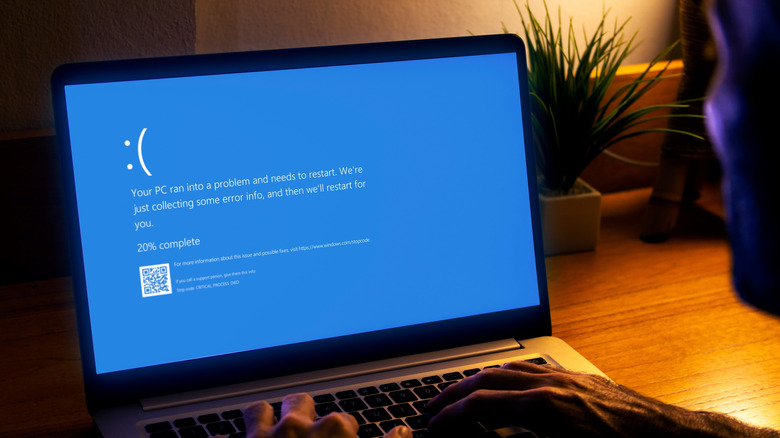

    A man using a windows laptop experiencing a blue screen of death.
    Alex Photo Stock/Shutterstock

    DirectX is Microsoft’s proprietary set of programming tools that help computer applications, especially games, communicate with your graphics card, audio and input devices. It allows software and hardware to work together to render graphics, play sound and deliver interactive multimedia experiences. If an application requires a DirectX capability but your computer doesn’t support it, the application may fail to launch or crash mid-operation. Identifying the exact source behind these problems can be tricky, as outdated DirectX software, corrupt video card drivers or faulty Windows configuration could be contributing factors. This is where Microsoft’s built-in DirectX diagnostic tool (DxDiag) can prove helpful.

    DxDiag is a windows utility that scans your computer, collects technical system information and reports on installed DirectX components and drivers. The tool can be used as a convenient starting point to investigate graphics or audio-related issues. It can also generate a condensed text report that you can share with technical support persons for analysis. Understanding the capabilities and limitations of DxDiag can help you make informed decisions when troubleshooting sound, visual or application compatibility issues.

    How to use DxDiag to check DirectX problems?

    To run the built-in DirectX diagnostic tool, initiate the run command with the windows + R shortcut, then type “dxdiag” and press enter. You can also search for “dxdiag” in the Windows start menu and launch the utility from there. The DxDiag tool includes tabs for System, Display, Sound and Input. It is recommended to tick the “Check for WHQL digital signatures” checkbox to verify the integrity of installed drivers.

    The System page includes details on your PC’s motherboard, processor, memory and graphics card. It also displays the DirectX version installed on your computer. Meanwhile, the Display page offers a detailed overview of your graphics card, from driver version to supported DirectX features like Direct3D Acceleration and DirectX 12 Ultimate. Similarly, the Sound page includes information on connected audio devices and their driver details, while the Input page lists all IO devices, including your keyboard, mouse and other peripherals. Make sure to review the Notes section at the bottom of Display, Sound and Input pages, since it may list errors reported by DxDiag.

    Can DxDiag tell if the DirectX on your computer is corrupted? While it can help identify issues with display, sound and input devices, DxDiag cannot conclusively determine or repair DirectX problems. Just because the utility displays a clean report, it doesn’t necessarily rule out all hardware and game-specific issues that your computer might be experiencing.

    What to do if DxDiag finds a problem?

    If DxDiag reports display, sound or IO errors, start by comparing the affected component’s driver version to the latest driver available. In case of discrepancy, consider downloading and installing the latest driver from the manufacturer’s official website. While Windows update often include driver updates, they are not always guaranteed be up to date. This could potentially result in outdated or incompatible drivers causing game-specific issues even when your hardware meets the recommended system requirements. In case of audio-specific issues, in addition to drivers, also consider verifying that you’re using the correct playback device in the Windows sound panel. You may also want check if the affected application or game has a new update or patch addressing hardware-related bugs.

    If none of these steps end up resolving your problem, you can try running the sfc /scannow command as a administrator to scan and repair system files. If errors persist even after following these troubleshooting steps, it’s recommended to contact Microsoft support and share your DxDiag report to help them investigate graphics, audio or other compatibility issues in your PC.

    BuiltIn DirectX Problem tool Windows
    Share. Facebook Twitter Pinterest LinkedIn Tumblr Email
    admin
    • Website

    Related Posts

    FBI And USDA Were Reportedly Targeted In Back-To-Back Cyberattacks

    November 21, 2026

    How Long Can Fiber Optic Cables Be Before They Lose Signal?

    November 21, 2026

    How To Easily Factory Reset Your Fitbit

    November 21, 2026
    Leave A Reply Cancel Reply

    Top Posts

    NVIDIA Is Investigating Reports That CEO Jensen Huang Was The Target Of Chinese Spy Efforts

    November 8, 202619 Views

    ADIndex: Layer-Adaptive Sparse Attention Indexing via Group-Level Distillation

    November 11, 20266 Views

    One Policy for 100 Household Tasks: Our Solution for the 2026 BEHAVIOR Challenge

    November 11, 20265 Views

    Anthropic releases new Mythos and Fable models amid RSI concerns

    November 9, 20265 Views
    Don't Miss
    Machine Learning

    Fixed-Budget RLVR Trades Test-Time Scaling for In-Budget Accuracy

    By adminNovember 21, 20260

    [Submitted on 19 Nov 2026] View a PDF of the paper titled Budget Internalization: Fixed-Budget…

    Review: Godzilla Minus Zero is everything we could want in a sequel

    November 21, 2026

    Amazon is complaining about NYC Council on shipping labels, too

    November 21, 2026

    This Built-In Windows Tool Can Tell If Your DirectX Has A Problem

    November 21, 2026
    About Us

    Welcome to TechWave Dispatch

    At TechWave Dispatch, we bring you the latest news, insights, and developments from the ever-evolving world of technology. Our mission is to keep readers informed about the innovations shaping our digital future.

    From artificial intelligence and machine learning to cybersecurity, robotics, smart devices, and groundbreaking technologies, we cover the topics that matter in today's fast-moving tech landscape.

    Our Picks

    Fixed-Budget RLVR Trades Test-Time Scaling for In-Budget Accuracy

    November 21, 2026

    Review: Godzilla Minus Zero is everything we could want in a sequel

    November 21, 2026

    Amazon is complaining about NYC Council on shipping labels, too

    November 21, 2026
    Most Popular

    After blocking Muse, Amazon now lets users text Alexa to help them shop

    November 6, 20260 Views

    A controlled world for robot learning and evaluation

    November 6, 20260 Views

    Egyptian and Nigerian English join the Open ASR Leaderboard

    November 6, 20260 Views
    Facebook X (Twitter) Instagram Pinterest
    • Terms and Conditions
    • Privacy Policy
    • Contact Us
    • About Us
    © 2026 TechWave Dispatch. All Rights Reserved.

    Type above and press Enter to search. Press Esc to cancel.