Close Menu
techwavedispatch.com

    Subscribe to Updates

    Get the latest creative news from FooBar about art, design and business.

    What's Hot

    Your PC’s USB Port Can Charge Your Phone, Even When It’s Turned Off — Here’s How

    November 22, 2026

    [2611.26232] Time Series Structure Learning with Local Causal Parent Discovery

    November 22, 2026

    10 Things You Should Never Do On Your Android Phone

    November 22, 2026
    Facebook X (Twitter) Instagram
    Trending
    • Your PC’s USB Port Can Charge Your Phone, Even When It’s Turned Off — Here’s How
    • [2611.26232] Time Series Structure Learning with Local Causal Parent Discovery
    • 10 Things You Should Never Do On Your Android Phone
    • Scalable fault vulnerability analysis for ReRAM-based process-in-memory CNN accelerators
    • This Is The Best Type Of Wireless Earbuds For Audio Output
    • Attention Head Specialization: Phase Transitions in Sample Complexity
    • [2611.26264] A Statistical Framework for Training Data Auditing of Large Language Models
    • Building Your Own Mini PC Is Harder Than You Would Think
    Facebook X (Twitter) Instagram
    techwavedispatch.com
    Subscribe
    Sunday, November 22
    • Home
    • AI Tools & Software
    • Machine Learning
    • Generative AI
    • Robotics & Automation
    • Future Tech & Hardware
    • AI in Business
    • Ethics & Regulations
    • More
      • Gadgets & Smart Devices
      • Cybersecurity & AI
      • Tech Breakthroughs
    techwavedispatch.com
    Home»Gadgets & Smart Devices»Your PC’s USB Port Can Charge Your Phone, Even When It’s Turned Off — Here’s How
    Gadgets & Smart Devices

    Your PC’s USB Port Can Charge Your Phone, Even When It’s Turned Off — Here’s How

    adminBy adminNovember 22, 2026No Comments4 Mins Read
    Facebook Twitter Pinterest LinkedIn Tumblr Email
    Your PC’s USB Port Can Charge Your Phone, Even When It’s Turned Off — Here’s How
    Share
    Facebook Twitter LinkedIn Pinterest Email

    Your USB ports might have a hidden “Always On” mode that charges your phone with the PC shut down.


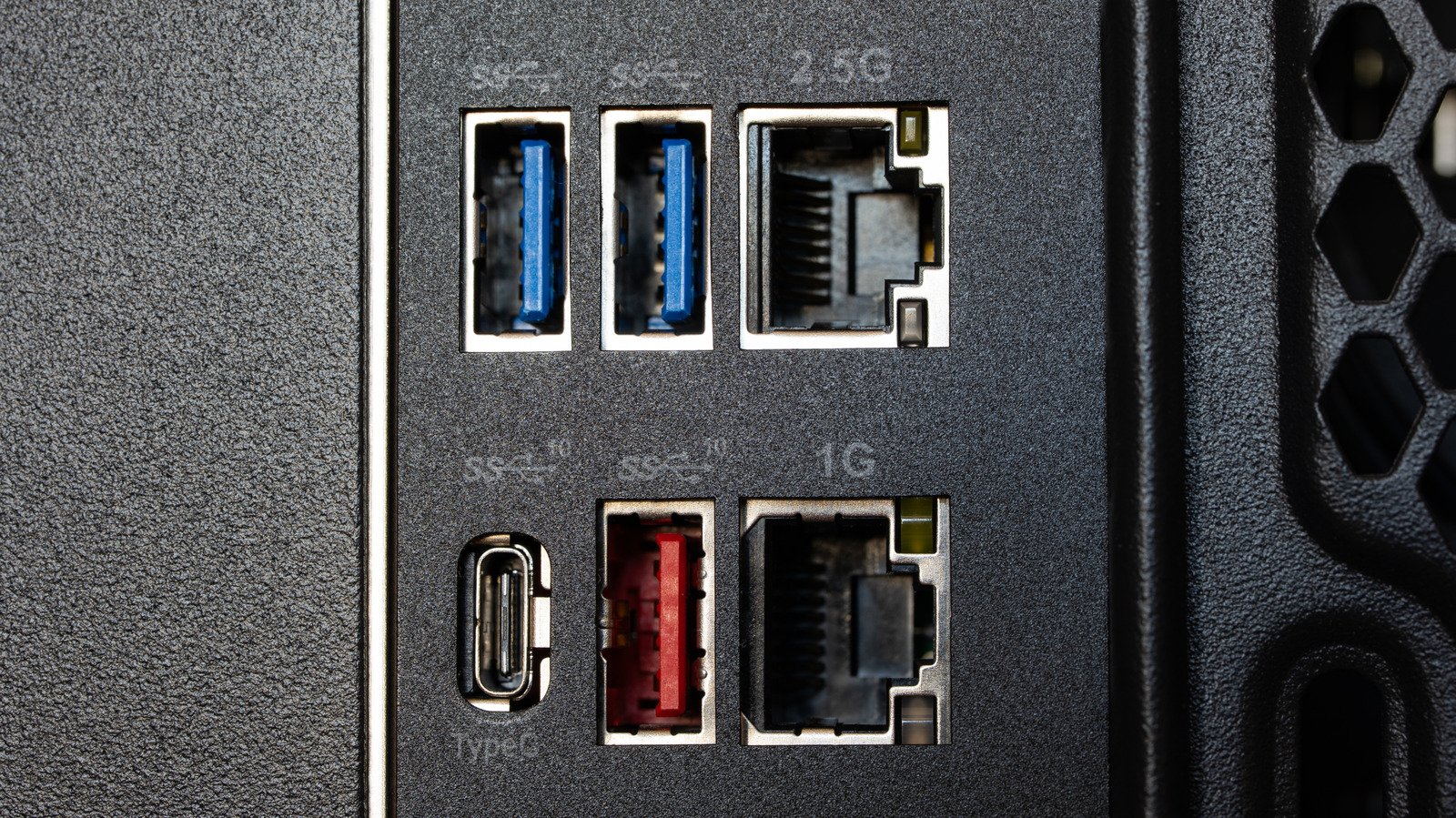
    Multiple USB ports on a PC, including two blue USB-A ports, one red USB-A port, and one USB-C port.
    Octavian Lazar/Shutterstock

    Almost all PC USB ports supply enough current to charge a device, but not all continue to do so when the PC is shut down. This convenient feature can also be confusing, since each brand tends to have its own terminology. For example, Lenovo calls it an “Always On” port while Dell uses the term PowerShare. Others stick with icon labels, like a battery symbol or a lightning bolt. The best way to know for sure is to dig into your PC’s manual, confirm the markings and learn how to enable it.

    Depending on the system, USB standby power might be on by default or be part of an energy-saving setting that cuts power when the PC is off. Your desktop or motherboard documentation should have this information. Fortunately, testing the feature is fairly simple: plug your phone in, turn the PC off and see if your phone continues charging.

    If it stops charging, it’s safe to assume the setting is off, which you can rectify in the BIOS or UEFI on most Windows PCs. (If your PC never supported the feature, changing settings won’t help.) Restart the PC and press the key the startup screen tells you to (usually F2, Del or F10). Look under Advanced, Power or Chipset for a USB power delivery or Always On charging option and enable it. If you see ErP (Energy-related Products) or Deep Sleep settings, make sure they’re disabled. Save and exit. 

    You don’t need a computer science or software engineering degree to do this, just a little patience as you wait for the PC to boot up and press the right key. The menu can be confusing at times, but you’re unlikely to brick your PC.

    Why your PC’s USB port might stop charging after shutdown


    Plugging a USB cable into a laptop.
    Jerome Maurice/Getty Images

    For starters, energy-saving features may get in the way. Anything that uses standby power will conflict with firmware settings that cut power to reduce consumption. For instance, if ErP Ready is enabled in select ASUS NUC PCs, USB standby power during shutdown or hibernation is disabled. Check your system’s instructions before changing anything. 

    You also may not have to turn off every single energy-saving feature just to charge your phone when your PC is off. Keep in mind that changing the energy-saving settings won’t add post-shutdown charging if the system never supported it to begin with.

    Laptops are an entirely different case, since they often come with battery reserve limitations. Depending on the model, USB charging may stop when the laptop’s battery hits a reserve threshold. Laptop charging features may depend on an AC adapter after shutdown, and that’s a potential restriction that shouldn’t be confused with a desktop’s standby power settings. Make sure your USB plug is completely in the port and that the cable is reliable, not one that’s been sitting in an attic box for the last quarter century.

    What does it mean when a USB port is Always On?


    Multiple ports on a desktop tower, including USB-A and AUX.
    Sergio Photone/Shutterstock

    In this context, “Always On” refers to power availability, but that’s not the same thing as “charging only.” A supported port can continue to supply power while the computer is off, though the wording shouldn’t be taken literally. Firmware settings can disable that power, and the behavior may be different between ports on the same system. 

    Power and data transfers are also different capabilities. A phone charging while the PC is shut down doesn’t mean you can transfer photos from your phone or copy files to it. The specific feature here is all about electricity available via the USB connection.

    Another problem is the lack of consistency in names, setup processes and USB port symbols. One system may offer a dedicated USB power setting while another’s ports depend on power-saving configurations. Even within a single brand, capabilities and terminology can differ, and manufacturers implement “Always On” USB in drastically different ways.

    For example, “Always On” could mean the feature is active after shutdown, during hibernation or while your PC is asleep. It could mean two of them, just one or all three. The feature may come with symbols, color coding, terminology or fine print in a manual, but not necessarily all of the above.

    Charge Heres PCs phone port turned USB
    Share. Facebook Twitter Pinterest LinkedIn Tumblr Email
    admin
    • Website

    Related Posts

    10 Things You Should Never Do On Your Android Phone

    November 22, 2026

    This Is The Best Type Of Wireless Earbuds For Audio Output

    November 22, 2026

    Building Your Own Mini PC Is Harder Than You Would Think

    November 21, 2026
    Leave A Reply Cancel Reply

    Top Posts

    NVIDIA Is Investigating Reports That CEO Jensen Huang Was The Target Of Chinese Spy Efforts

    November 8, 202619 Views

    ADIndex: Layer-Adaptive Sparse Attention Indexing via Group-Level Distillation

    November 11, 20266 Views

    One Policy for 100 Household Tasks: Our Solution for the 2026 BEHAVIOR Challenge

    November 11, 20265 Views

    Anthropic says AI is eroding Nvidia’s CUDA lead, cutting an AMD chip switch from months to three days

    November 11, 20265 Views
    Don't Miss
    Gadgets & Smart Devices

    Your PC’s USB Port Can Charge Your Phone, Even When It’s Turned Off — Here’s How

    By adminNovember 22, 20260

    Your USB ports might have a hidden “Always On” mode that charges your phone with…

    [2611.26232] Time Series Structure Learning with Local Causal Parent Discovery

    November 22, 2026

    10 Things You Should Never Do On Your Android Phone

    November 22, 2026

    Scalable fault vulnerability analysis for ReRAM-based process-in-memory CNN accelerators

    November 22, 2026
    About Us

    Welcome to TechWave Dispatch

    At TechWave Dispatch, we bring you the latest news, insights, and developments from the ever-evolving world of technology. Our mission is to keep readers informed about the innovations shaping our digital future.

    From artificial intelligence and machine learning to cybersecurity, robotics, smart devices, and groundbreaking technologies, we cover the topics that matter in today's fast-moving tech landscape.

    Our Picks

    Your PC’s USB Port Can Charge Your Phone, Even When It’s Turned Off — Here’s How

    November 22, 2026

    [2611.26232] Time Series Structure Learning with Local Causal Parent Discovery

    November 22, 2026

    10 Things You Should Never Do On Your Android Phone

    November 22, 2026
    Most Popular

    After blocking Muse, Amazon now lets users text Alexa to help them shop

    November 6, 20260 Views

    A controlled world for robot learning and evaluation

    November 6, 20260 Views

    Egyptian and Nigerian English join the Open ASR Leaderboard

    November 6, 20260 Views
    Facebook X (Twitter) Instagram Pinterest
    • Terms and Conditions
    • Privacy Policy
    • Contact Us
    • About Us
    © 2026 TechWave Dispatch. All Rights Reserved.

    Type above and press Enter to search. Press Esc to cancel.