Close Menu
techwavedispatch.com

    Subscribe to Updates

    Get the latest creative news from FooBar about art, design and business.

    What's Hot

    Sleep Vs. Shutdown – Which Should Xbox Series X Owners Actually Use?

    November 22, 2026

    Can You Completely Remove One UI From A Samsung Phone?

    November 22, 2026

    The Purpose Of The SC Port On Your Old Laptop

    November 22, 2026
    Facebook X (Twitter) Instagram
    Trending
    • Sleep Vs. Shutdown – Which Should Xbox Series X Owners Actually Use?
    • Can You Completely Remove One UI From A Samsung Phone?
    • The Purpose Of The SC Port On Your Old Laptop
    • Perplexity’s new Monitor API turns web search from a one-off query into a nonstop watchdog
    • 10 Rare Game Consoles That Almost No One Owns
    • Common Reasons Why Some USB Ports Are Red
    • Turning Thermal Noise Into Ultra-Low-Power Signals
    • Does Old Computer Hardware Ever Become Truly Useless?
    Facebook X (Twitter) Instagram
    techwavedispatch.com
    Subscribe
    Sunday, November 22
    • Home
    • AI Tools & Software
    • Machine Learning
    • Generative AI
    • Robotics & Automation
    • Future Tech & Hardware
    • AI in Business
    • Ethics & Regulations
    • More
      • Gadgets & Smart Devices
      • Cybersecurity & AI
      • Tech Breakthroughs
    techwavedispatch.com
    Home»Gadgets & Smart Devices»Sleep Vs. Shutdown – Which Should Xbox Series X Owners Actually Use?
    Gadgets & Smart Devices

    Sleep Vs. Shutdown – Which Should Xbox Series X Owners Actually Use?

    adminBy adminNovember 22, 2026No Comments4 Mins Read
    Facebook Twitter Pinterest LinkedIn Tumblr Email
    Sleep Vs. Shutdown – Which Should Xbox Series X Owners Actually Use?
    Share
    Facebook Twitter LinkedIn Pinterest Email

    The Xbox Series X never fully turns off, leaving you with two power options.


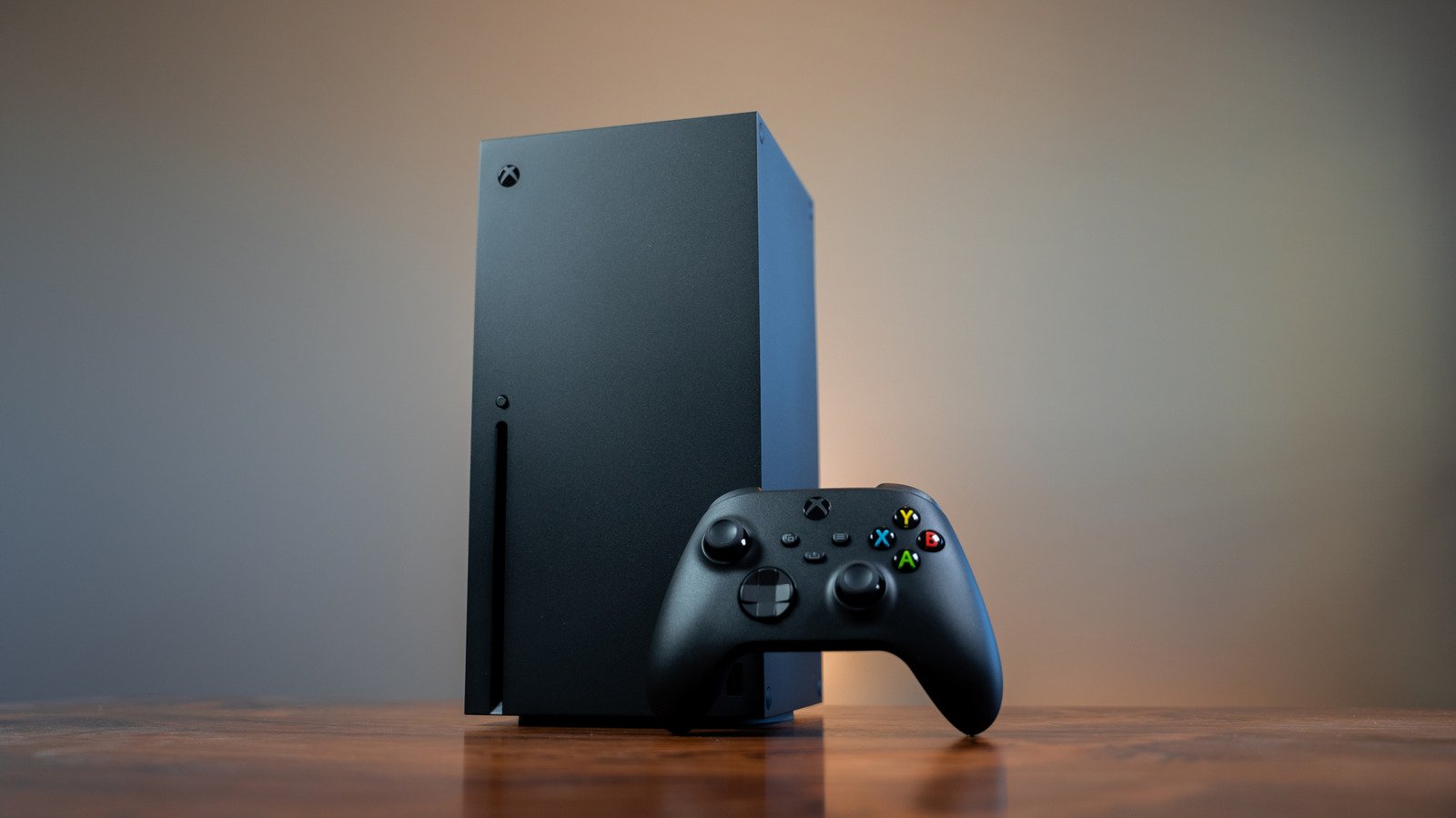
    Xbox Series X console and controller on a wooden table.
    Alex Van Aken/Shutterstock

    Modern consoles can gobble up a lot of electricity during gaming sessions, and even when they’re turned off, they draw a trickle of power. There is a way to help curb that energy consumption, though, and on the Xbox Series X, it’s as easy as toggling a menu option. Xbox Series X consoles have two power modes, and while there’s a significant difference in how much electricity each one uses, they both offer unique functionalities that can make your gaming life more seamless.

    When you hold the Xbox button on a connected gamepad to power off your Series X, you’ll see an option labeled Turn off console. However, you can actually set whether that totally shuts the Xbox down or simply puts it to sleep. From the console’s main screen, pop open the guide by pressing the gamepad’s Xbox button, click into Settings under Profile & System, and then navigate to Power options. Here, you can choose between Shutdown or Sleep to determine what happens when you power down your console.

    Shutdown saves power when your Xbox is off

    Shutdown is the Xbox Series X’s energy-saving option, and it’s also the console’s default power mode. With Shutdown selected, Microsoft says your console will consume 20 times less power than when it’s in Sleep. This amounts to a draw of about .5 watts per hour while the console isn’t actively in use. The advantages to Shutdown mode come in the form of lower energy bills and the knowledge that you’re being a bit more environmentally friendly with your gaming.

    Shutdown’s tiny power draw has a few purposes, though. Your Xbox can still download automatic updates for games and the console itself, even with the energy-saving mode applied. However, any external storage devices you have attached will remain turned off, so games installed there won’t get updates. Quick Resume features are also still active, meaning you can pick up games from exactly where you left them when you powered off the Series X. Booting from Shutdown is slower than booting from Sleep, but this lag is negligible in practice.

    Sleep mode unlocks a few useful Xbox features


    Xbox Series X controller next to a console bathed in red and green lights.
    Sotiomake/Shutterstock

    In Sleep mode, the Xbox Series X will draw between 10 and 15 watts of power while off. The extra juice means it will only take a few seconds for the console to boot, with Quick Resume keeping games suspended and easy to restart. The main advantage of Sleep mode is that it enables remote features, letting you wake up the console and download new games while away from home, through the Xbox mobile app. Sleep mode also enables the ability to stream games from your slumbering console to other devices via Remote Play.

    Whichever mode you use, you can customize your settings in the Power options menu. For Shutdown, you can choose how long the console waits before automatically turning off and whether updates should wait for manual input. For Sleep, you can also choose to enable or disable remote features and external storage devices.

    If you regularly take advantage of the Xbox’s remote features, your Series X power-mode choice is easy: Sleep. Otherwise, it’s worth thinking about using Shutdown mode. The difference in startup times between the two settings is so small that it’s hardly worth considering, unless you’re turning the console on and off multiple times per day — but the energy savings add up. Even with the console set to full Shutdown, essential features like automatic updates and Quick Resume can remain active, so you’re not losing out on much in exchange for a lower electricity bill.

    Owners Series shutdown sleep Xbox
    Share. Facebook Twitter Pinterest LinkedIn Tumblr Email
    admin
    • Website

    Related Posts

    Can You Completely Remove One UI From A Samsung Phone?

    November 22, 2026

    The Purpose Of The SC Port On Your Old Laptop

    November 22, 2026

    10 Rare Game Consoles That Almost No One Owns

    November 22, 2026
    Leave A Reply Cancel Reply

    Top Posts

    NVIDIA Is Investigating Reports That CEO Jensen Huang Was The Target Of Chinese Spy Efforts

    November 8, 202619 Views

    ADIndex: Layer-Adaptive Sparse Attention Indexing via Group-Level Distillation

    November 11, 20266 Views

    Anthropic releases new Mythos and Fable models amid RSI concerns

    November 9, 20266 Views

    If AGI is so close, why is everyone leaving? The neolabs and their bets

    November 6, 20266 Views
    Don't Miss
    Gadgets & Smart Devices

    Sleep Vs. Shutdown – Which Should Xbox Series X Owners Actually Use?

    By adminNovember 22, 20260

    The Xbox Series X never fully turns off, leaving you with two power options. …

    Can You Completely Remove One UI From A Samsung Phone?

    November 22, 2026

    The Purpose Of The SC Port On Your Old Laptop

    November 22, 2026

    Perplexity’s new Monitor API turns web search from a one-off query into a nonstop watchdog

    November 22, 2026
    About Us

    Welcome to TechWave Dispatch

    At TechWave Dispatch, we bring you the latest news, insights, and developments from the ever-evolving world of technology. Our mission is to keep readers informed about the innovations shaping our digital future.

    From artificial intelligence and machine learning to cybersecurity, robotics, smart devices, and groundbreaking technologies, we cover the topics that matter in today's fast-moving tech landscape.

    Our Picks

    Sleep Vs. Shutdown – Which Should Xbox Series X Owners Actually Use?

    November 22, 2026

    Can You Completely Remove One UI From A Samsung Phone?

    November 22, 2026

    The Purpose Of The SC Port On Your Old Laptop

    November 22, 2026
    Most Popular

    Egyptian and Nigerian English join the Open ASR Leaderboard

    November 6, 20260 Views

    Ads in Chatbots Have Arrived. Here’s What’s Working—and What’s Not

    November 6, 20260 Views

    The General Purpose Pendulum – O’Reilly

    November 6, 20260 Views
    Facebook X (Twitter) Instagram Pinterest
    • Terms and Conditions
    • Privacy Policy
    • Contact Us
    • About Us
    © 2026 TechWave Dispatch. All Rights Reserved.

    Type above and press Enter to search. Press Esc to cancel.